

1️⃣ Introduction – Why Nmap Is Still Underrated
Most people think they “know” Nmap because they’ve run commands like:
nmap -sS -A target.com
And then they move on.
That’s the problem.
Nmap is not just a port scanner — it’s a reconnaissance framework. When used correctly, it helps you:
Discover hidden services
Identify misconfigurations
Map real attack surfaces
Decide what to attack next (and what to ignore)
Many beginners rely heavily on automated scanners, but experienced hackers still start with Nmap because it:
Gives raw, reliable data
Produces low false positives
Works on external, internal, cloud, and hybrid environments
The biggest mistake?
Using Nmap aggressively instead of intelligently.
Real bug hunters don’t run one massive scan.
They stage scans, analyze results, and adjust strategy.
In this article, you’ll learn:
How Nmap actually works
Why common usage misses bugs
Hidden techniques that reveal what others overlook
How to turn scan results into real vulnerabilities
This is not a “copy-paste commands” guide.
This is about thinking like a hacker while using Nmap.
2️⃣ What Is Nmap? (Quick but Powerful Overview)
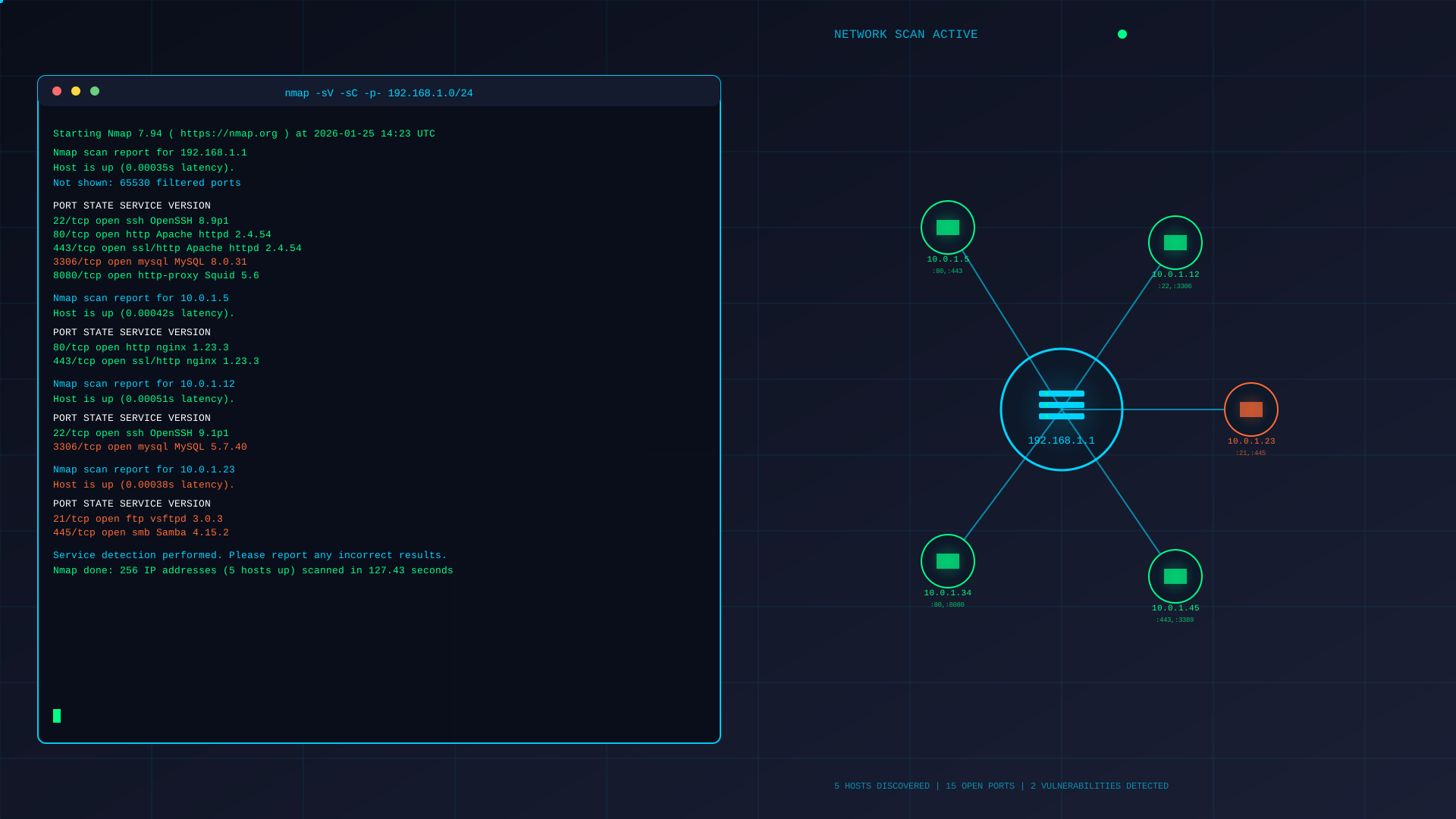
Nmap (Network Mapper) is an active reconnaissance tool designed to answer four critical questions:
What hosts are alive?
What ports are open?
What services are running?
How are those services configured?
Most tutorials stop at question #2.
Hackers don’t.
🔍 What Nmap Actually Does Under the Hood
When you scan a target, Nmap:
Crafts custom TCP/UDP packets
Observes responses and timing
Analyzes flags, TTLs, window sizes
Compares results against its fingerprint database
This is why Nmap is powerful — it doesn’t just trust banners.
Example:
nmap -sV target.com
You might see:
80/tcp open http Apache httpd 2.4.29
A beginner stops here.
A hacker asks:
Is this really Apache?
Is it behind a proxy?
Is version disclosure accurate?
Is this port reused elsewhere?
🧠 Nmap vs Automated Scanners
| Tool Type | What It Does | Limitation |
|---|---|---|
| Automated Scanners | Tries to exploit immediately | High noise, high false positives |
| Nmap | Maps the attack surface | Requires human analysis |
| Real Hackers | Use both | Nmap comes first |
Nmap tells you where to focus.
If you skip this step:
You waste time
You miss edge-case services
You attack the wrong surface
⚠️ Why Most People Miss Bugs With Nmap
Because they:
Scan only top 1000 ports
Ignore UDP
Don’t verify services
Skip NSE scripts
Never read output carefully
Example mistake:
nmap target.com
This hides:
Admin panels on high ports
Dev services (3000, 8081, 9000)
Internal APIs exposed externally
🎯 How Hackers Think About Nmap
Instead of:
“What ports are open?”
They think:
“What does this service allow me to do?”
Nmap is the map, not the exploit.
The better your map, the easier the exploitation.
3️⃣ Installing Nmap the Right Way (Most People Get This Wrong)
Installing Nmap is easy.
Installing it correctly for hacking and recon is what most people mess up.
✅ Linux (Recommended for Hackers)
Debian / Ubuntu
sudo apt update
sudo apt install nmap -y
Arch
sudo pacman -S nmap
RedHat / CentOS
sudo yum install nmap
✔️ Linux gives you:
Full raw packet support
Better TCP/UDP scanning
Easier NSE usage
🍎 macOS (Acceptable)
brew install nmap
⚠️ Limitation:
Some scan types require elevated permissions
Performance slightly weaker than Linux
🪟 Windows (Last Option)
Download official installer
Choose “Install Npcap in WinPcap compatible mode”
Always run CMD / PowerShell as Administrator
Windows is fine for learning, not ideal for stealth or advanced recon.
🔐 Why sudo Matters (But Not Always)
Many people think:
“I must always run Nmap with sudo”
That’s wrong.
| Scan Type | Needs sudo? | Why |
|---|---|---|
| TCP Connect (-sT) | ❌ No | Uses OS TCP stack |
| SYN Scan (-sS) | ✅ Yes | Raw packets |
| UDP Scan (-sU) | ✅ Yes | Raw UDP |
| OS Detection (-O) | ✅ Yes | Packet crafting |
Rule:
Use sudo only when needed, not by habit.
📂 Verify Installation Properly
nmap --version
You should see:
Version number
NSE engine loaded
Script count (important!)
If NSE scripts are missing → your installation is broken.
📁 Know Where NSE Scripts Live
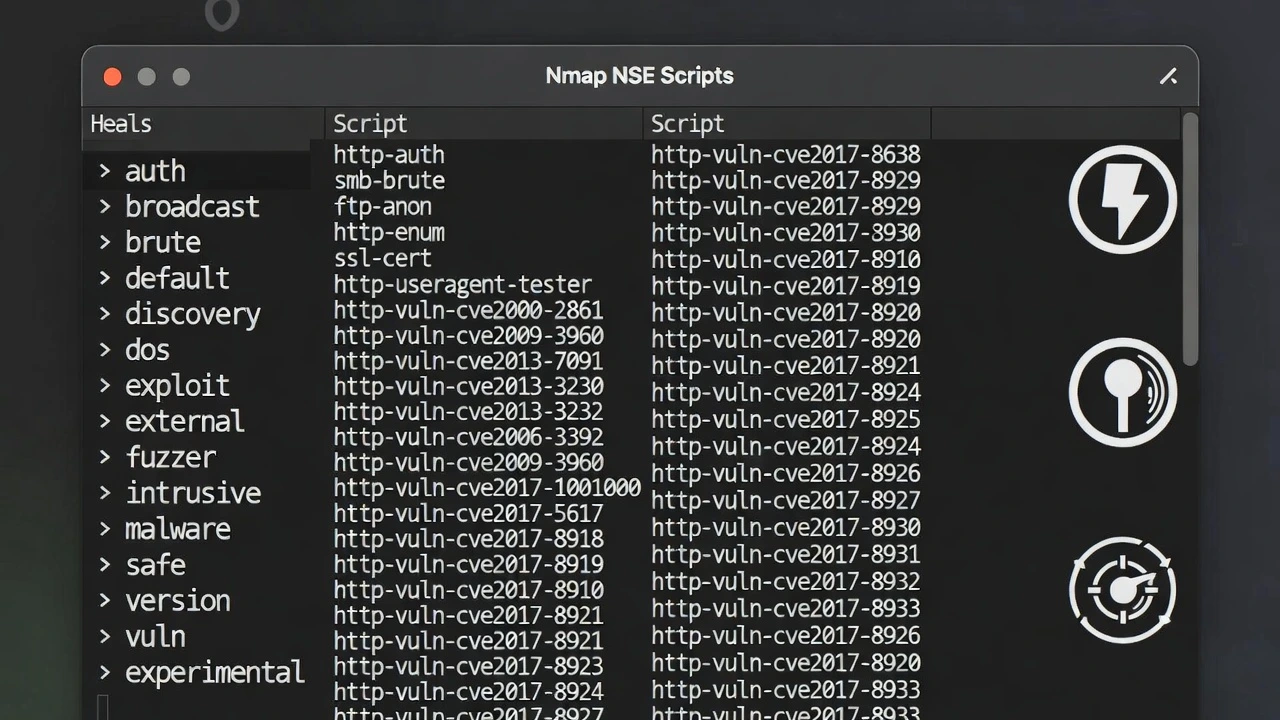
/usr/share/nmap/scripts/
Why this matters:
You’ll later run specific scripts
You may write or edit scripts
Missing scripts = limited power
🧠 Pro Tip (Most People Ignore)
Run:
nmap --script-updatedb
This refreshes the NSE database — critical after updates.
4️⃣ Nmap Basics You Must Know (Before Advanced Tricks)
Before touching “hidden tricks,” you must understand how Nmap thinks.
If you skip this, advanced scans will lie to you.
🔹 TCP Scans – Not All Are Equal
SYN Scan (Stealth Scan)
sudo nmap -sS target.com
✔️ Fast
✔️ Quiet
✔️ Default choice for hackers
❌ Doesn’t complete TCP handshake
TCP Connect Scan
nmap -sT target.com
✔️ No sudo needed
❌ Loud
❌ Logged easily
Use only when raw packets aren’t allowed.
🔹 UDP Scanning (Massively Ignored, Highly Valuable)
sudo nmap -sU target.com
Why it matters:
DNS (53)
SNMP (161)
NTP (123)
TFTP (69)
Many critical misconfigs live on UDP.
⚠️ Slow by nature — scan selectively later.
🔹 Service vs Version Detection (Critical Difference)
nmap -sV target.com
This does:
Banner grabbing
Protocol probing
Fingerprinting
But here’s the catch 👇
Version detection can be wrong.
Hackers always:
Validate manually
Cross-check responses
Re-scan suspicious services
🔹 OS Detection (Use Carefully)
sudo nmap -O target.com
Good for:
Internal networks
Labs
Known environments
Bad for:
Heavily firewalled targets
Cloud infra (often misleading)
🔹 Timing Templates (Speed vs Stealth)
-T0  paranoid
-T3  normal
-T5  insane
Most beginners blindly use -T5.
❌ Bad idea.
| Situation | Recommended |
|---|---|
| Bug bounty | -T2 or -T3 |
| Internal lab | -T4 |
| Stealth recon | -T1 |
Speed means noise.
🔹 Output Files (Extremely Important)
Always save output:
nmap -oA scan_results target.com
This gives you:
.nmap → human-readable
.xml → tool parsing
.gnmap → grep-friendly
Real hackers review scans later, not once.
❌ Beginner Mistake That Kills Results
sudo nmap -A target.com
Why this is bad:
Too aggressive
Easy to detect
No control
Misses context
Advanced usage = modular scanning, not all-in-one.
🧠 Hacker Mindset Summary (Very Important)
Nmap basics are not about commands — they’re about decision-making:
What to scan
How fast
With what intent
What to do next
Once this foundation is strong, hidden techniques start making sense.
🔍 People Also Ask: Nmap Tool
❓ What is Nmap used for?
Nmap (Network Mapper) is used for network discovery and security auditing. It helps identify live hosts, open ports, running services, service versions, and potential misconfigurations. Security professionals, penetration testers, and bug bounty hunters use Nmap to map attack surfaces before performing deeper testing.
❓ Is Nmap legal to use?
Yes, Nmap is legal when used on systems you own or have explicit permission to test. Using Nmap against unauthorized targets can be illegal and may violate local laws or bug bounty program rules. Always ensure your target is in scope before scanning.
❓ Why is Nmap better than automated vulnerability scanners?
Nmap provides accurate, low-noise reconnaissance data with fewer false positives. Unlike automated scanners that attempt exploitation immediately, Nmap focuses on mapping the attack surface, allowing hackers to make informed decisions before testing vulnerabilities.
❓ Can Nmap find vulnerabilities directly?
Nmap itself does not exploit vulnerabilities, but it can identify services, configurations, and exposures that lead to vulnerabilities. Using Nmap’s NSE (Nmap Scripting Engine), it can also detect known misconfigurations and security weaknesses.
❓ Do professional hackers still use Nmap?
Yes. Despite its age, Nmap is still widely used by professional penetration testers and bug bounty hunters because of its reliability, flexibility, and accuracy in reconnaissance.
🥷 Hidden Trick #1: Full Port Scanning Without Being Noisy
❌ What Most People Do
nmap -p- target.com
Yes, this scans all 65,535 ports — but:
It’s slow
It’s noisy
It’s easy to detect
Often rate-limited or blocked
✅ What Hackers Do Instead (Smarter Full Scan)
sudo nmap -p- --min-rate 1000 -T3 target.com
Why this works:
-p- → all ports
--min-rate 1000 → controlled speed
-T3 → balanced timing (not suspicious)
This approach:
Finds high-port services (dev panels, admin tools)
Avoids IDS alerts better than -T5
Completes faster than default -p-
📌 Real bugs found here:
Admin dashboards on 8081, 8888, 9000
Dev APIs on 3000, 5000
Internal services accidentally exposed
🎯 Pro Tip
For bug bounty programs, scan IPs first, not domains:
nmap -p- <IP>
CDNs often hide ports on domains.
🥷 Hidden Trick #2: Targeted High-Value Port Scanning
Scanning all ports every time is unnecessary.
Experienced hackers scan known-danger ports first.
🎯 High-Value Port Scan (Fast & Effective)
nmap -p 21,22,25,53,80,443,3000,3306,5432,6379,8080,8081,8443,9000 target.com
Why these ports matter:
21 → FTP (anonymous access)
22 → SSH (weak configs)
3306 → MySQL exposed
5432 → PostgreSQL exposed
6379 → Redis unauthenticated
3000/9000 → Dev apps
8080/8443 → Admin panels
💡 Many critical bug bounty findings come from:
“This port shouldn’t be public.”
⚠️ Why This Beats Default Scanning
Faster recon
Less noise
Immediate attack surface
Perfect for scope-limited programs
🥷 Hidden Trick #3: Finding Hidden Services Behind “Closed” Hosts
Sometimes Nmap shows:
All 1000 scanned ports are closed
Beginners stop here.
Hackers don’t.
🔍 Step 1: Check If the Host Is Really Alive
nmap -Pn target.com
Why?
Firewalls often block ICMP
Host may be alive but silent
🔍 Step 2: Scan With TCP Connect (Firewall Bypass)
nmap -sT -p 80,443,8080,8443 target.com
Why this works:
Uses full TCP handshake
Bypasses some packet-filtering firewalls
Slower, but more reliable
🔍 Step 3: Detect Services on “Unexpected” Ports
nmap -sV -p 1-65535 target.com
You might discover:
HTTP running on port 4444
HTTPS on port 10443
APIs running on random high ports
📌 Real-world example:
Internal admin panel running on 9443
Assumed “safe” because it wasn’t on 443
🧠 Hacker Mindset (Important)
Smart port discovery is about strategy, not speed.
| Beginner | Hacker |
|---|---|
| Scans once | Scans in stages |
| Uses defaults | Chooses ports intentionally |
| Stops early | Verifies assumptions |
| Trusts output | Questions output |
🔥 What You’ve Achieved So Far
With just these 3 tricks, you can already:
Find ports most hackers miss
Reduce noise
Identify real attack surfaces
Outperform automated scanners
🥷 Hidden Trick #4: Control Version Detection (Don’t Trust Defaults)
❌ Common Mistake
nmap -sV target.com
This uses default intensity, which:
Skips deeper probes
Misses edge cases
Misidentifies custom services
✅ Hacker Method: Version Intensity Control
nmap -sV --version-intensity 9 target.com
Or more aggressive:
nmap -sV --version-all target.com
Why this matters:
Sends more protocol-specific probes
Identifies services behind reverse proxies
Detects non-standard implementations
📌 Real bug scenario:
Nmap shows: nginx 1.18
Higher intensity reveals: OpenResty with outdated Lua modules
Leads to RCE chain
🎯 Pro Tip
If scan becomes slow:
Use high intensity only on discovered ports
nmap -sV --version-all -p 8080,8443 target.com
Precision > brute force.
🥷 Hidden Trick #5: Service Verification (Prove Nmap Wrong)
Nmap can lie.
Not maliciously — statistically.
Hackers verify.
🔍 Step 1: Force Service Detection on “Unknown” Ports
nmap -sV -p 1-65535 target.com
You’ll often see:
9999/tcp open unknown
That doesn’t mean “nothing”.
🔍 Step 2: Manual Service Confirmation
Use:
nc target.com 9999
or:
curl -v http://target.com:9999
Why?
Many web apps hide on non-web ports
Dev teams assume obscurity = security
📌 Real findings:
Spring Boot admin panel on 9999
Internal API with no auth
Debug endpoints exposed
🔍 Step 3: TLS & HTTPS Validation
Nmap may label HTTPS incorrectly.
Verify:
nmap -sV --script ssl-cert,ssl-enum-ciphers -p 443 target.com
This reveals:
Weak ciphers
Expired certs
Internal domain leaks
🧠 Hacker Rule
If a service matters, verify it manually. Always.
🥷 Hidden Trick #6: Fingerprinting Through Behavior (Not Banners)
Modern targets:
Strip banners
Fake versions
Hide headers
Hackers fingerprint behavior, not text.
🔬 Example: HTTP Service Fingerprinting
nmap -p 80,443 --script http-headers,http-methods target.com
You learn:
Allowed HTTP methods
Framework fingerprints
Backend logic clues
Look for:
X-Powered-By
Allow: headers
Unusual redirects
🔬 Example: SSH Fingerprinting Beyond Version
nmap -sV --script ssh2-enum-algos -p 22 target.com
Why this matters:
Weak algorithms = downgrade attacks
Old key exchange methods
Misconfigured hardening
Even when SSH version looks “safe”.
🔬 Database Behavior Detection
nmap -sV --script=mysql-info -p 3306 target.com
This may reveal:
Database name
Version
Auth mechanism
📌 Many high-severity reports come from:
“Database exposed, auth disabled or weak”
🧠 Why This Section Is Critical
Most hackers:
Trust banners
Trust versions
Trust automation
Advanced hackers:
Validate services
Question results
Fingerprint behavior
This is how you find:
Hidden admin panels
Dev frameworks
Misconfigured middleware
Exploitable edge cases
🥷 Hidden Trick #7: Use NSE for Discovery, Not Just Vulnerabilities
❌ Common (Bad) Approach
nmap --script vuln target.com
Problems:
Extremely noisy
Many false positives
Easy to detect
Often out of scope
✅ Hacker Approach: Discovery-First NSE
Discovery scripts:
Reveal attack surface
Expose misconfigurations
Lead to manual exploitation
🔍 High-Value Discovery Scripts
HTTP Discovery
nmap -p 80,443 --script http-enum target.com
Finds:
Hidden directories
Admin panels
Backup paths
Old endpoints
📌 Real findings:
/admin_old/
/test/
/backup.zip
Technology & Framework Detection
nmap -p 80,443 --script http-headers,http-generator target.com
Reveals:
Backend frameworks
CMS clues
Reverse proxy leaks
These clues decide:
SQLi? SSTI? Auth bypass? IDOR?
🧠 Rule #1
Discovery scripts give you more bugs than vuln scripts.
🥷 Hidden Trick #8: Targeted Vulnerability Scripts (Precision Over Spray)
If you already know what service is running, NSE becomes deadly.
🎯 Example: FTP Misconfiguration
nmap -p 21 --script ftp-anon target.com
Finds:
Anonymous login
Writable directories
Many critical internal breaches start here.
🎯 Example: SMB (Internal / VPN Targets)
nmap -p 445 --script smb-enum-shares,smb-enum-users target.com
Reveals:
Open shares
Usernames
Weak permissions
📌 Still common in corporate networks.
🎯 Example: Redis Exposure (Very High Impact)
nmap -p 6379 --script redis-info target.com
If Redis is:
Public
Unauthenticated
That’s often critical severity.
🎯 Example: SSL/TLS Weaknesses
nmap -p 443 --script ssl-enum-ciphers target.com
Finds:
Weak ciphers
Deprecated TLS versions
Compliance issues (real reports accepted)
🧠 Rule #2
Run vulnerability scripts only after service confirmation.
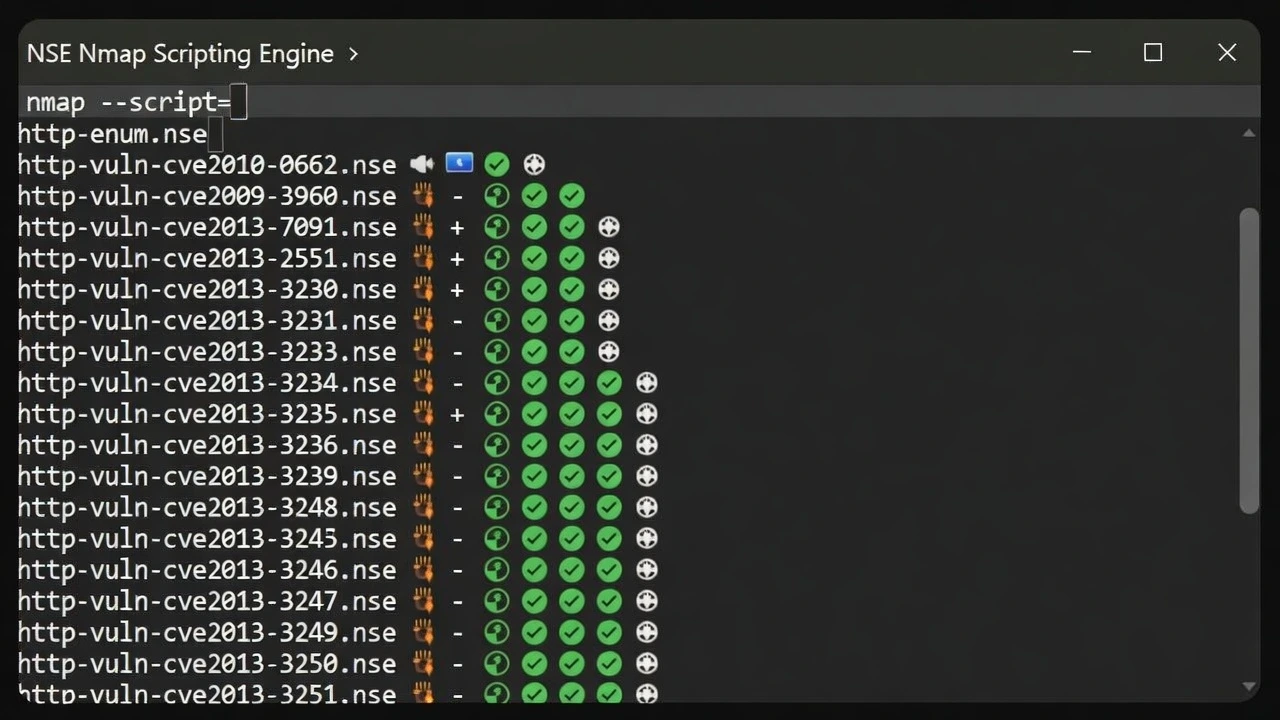
🥷 Hidden Trick #9: Script Categories Hackers Ignore (But Shouldn’t)
Most people use:
default
vuln
Hackers also use:
🔥 auth Scripts (Goldmine)
nmap --script auth -p 22,80,443 target.com
Finds:
Weak auth mechanisms
Misconfigured access controls
Default credentials
🔥 safe Scripts (Stealthy & Allowed)
nmap --script safe target.com
Why this matters:
Low noise
Often allowed in bug bounty
Still reveals valuable info
🔥 broadcast Scripts (Internal Networks)
nmap --script broadcast
Finds:
Devices
Services
Internal infrastructure leaks
Very useful in:
Labs
VPN scopes
Corporate environments
🔥 Combining Categories (Advanced)
nmap --script "default,discovery,safe" target.com
This gives:
Maximum intel
Minimal risk
High signal-to-noise ratio
🧠 NSE Workflow That Actually Works
Bad workflow:
Run all scripts → hope for bug
Hacker workflow:
Ports → Services → Discovery → Targeted NSE → Manual testing
NSE supports your thinking — it does not replace it.
🔥 Real Bugs Found Using NSE (Examples)
Unauthenticated Redis → RCE
Exposed admin panel → Auth bypass
Anonymous FTP → Data leakage
Weak TLS → Compliance + security issues
Internal APIs exposed externally
All started with smart NSE usage, not blind scans.
🥷 Hidden Trick #10: Packet Fragmentation (Old but Still Useful)
sudo nmap -f target.com
What it does:
Splits packets into fragments
Some firewalls fail to reassemble properly
📌 Works best on:
Legacy firewalls
Poorly configured IDS
Internal networks
⚠️ Modern WAFs may ignore this — don’t rely on it blindly.
🥷 Hidden Trick #11: Decoys & IP Confusion (Situational Use)
sudo nmap -D RND:10 target.com
What happens:
Your scan is mixed with fake source IPs
Harder to attribute the real scanner
Good for:
Lab environments
Research
Red team simulations
❌ Not useful for bug bounty attribution
❌ Does NOT make you invisible
🧠 Rule: Evasion helps recon — it does NOT bypass scope or legality.
🥷 Hidden Trick #12: Cloud-Aware Scanning (CDNs Lie)
When scanning cloud targets:
Ports appear closed
Services appear filtered
Results look “clean”
Why?
Load balancers
Reverse proxies
Cloud firewalls
🎯 Cloud Recon Method
1️⃣ Resolve IPs first
dig target.com
2️⃣ Scan IP directly
nmap -p- <IP>
3️⃣ Compare domain vs IP results
📌 Real findings:
SSH exposed on origin IP
Admin panels bypassing CDN
Debug services not proxied
🥷 Hidden Trick #13: Internal Network Recon (Where Nmap Shines)
If you ever get:
VPN access
Internal scope
Lab environment
Nmap becomes extremely powerful.
🔍 Host Discovery (Fast)
nmap -sn 10.0.0.0/24
🔍 Internal Service Sweep
nmap -sS -T4 10.0.0.0/24
You’ll often find:
Printers
File shares
Databases
Dev servers
📌 Internal bugs are often high impact and low effort.
🔥 Hidden Trick #14: Combining Nmap With Other Tools (Real Hacker Workflow)
Nmap alone doesn’t find bugs.
It points you to them.
🧠 Smart Tool Chain
Step 1 — Discover services
nmap -p- target.com
Step 2 — Identify web services
nmap -p 80,443,8080,8443 --script http-title target.com
Step 3 — Pass to web tools
Burp Suite
FFUF / Gobuster
Nikto (selectively)
Example:
ffuf -u http://target.com:8080/FUZZ -w wordlist.txt
📌 Nmap decides where FFUF should attack.
🧠 Masscan + Nmap (Advanced)
Masscan → fast discovery
Nmap → accurate validation
This combo is used by top recon teams.
🔥 Hidden Trick #15: Turning Nmap Output Into Real Bug Bounties
This is where most people fail.
They run scans — then do nothing.
🥷 How Hackers Read Nmap Output
They look for:
❗ Services that shouldn’t be public
❗ Admin interfaces
❗ Dev frameworks
❗ Old protocols
❗ Weak crypto
❗ Internal naming leaks
🎯 Examples That Become Reports
| Nmap Finding | Bug |
|---|---|
| Redis open | Unauth access / RCE |
| Admin panel on 8080 | Auth bypass |
| Internal hostname leak | Info disclosure |
| Weak TLS | Security misconfiguration |
| Exposed DB port | Critical exposure |
Nmap rarely gives “instant critical”.
It gives starting points.
🧠 Final Hacker Mindset (Very Important)
❌ Bad mindset:
“I ran Nmap, no bugs found.”
✅ Correct mindset:
“What does this exposure allow me to do?”
Nmap answers:
Where to look
What to test
What to ignore
That alone puts you ahead of 90% of hackers.
Frequently Asked Questions (FAQ)
❓ What are the most important Nmap flags for beginners?
The most important Nmap flags to start with are -sS (SYN scan), -sV (service version detection), -p (port selection), -oA (output saving), and -T (timing templates). Learning when and why to use these flags is more important than memorizing commands.
❓ Is Nmap enough for bug bounty hunting?
Nmap alone is not enough, but it is a critical first step. Nmap helps identify exposed services and attack surfaces, which can then be tested manually using tools like Burp Suite, FFUF, or custom scripts.
❓ Why do hackers scan all ports instead of the default 1000?
Many real-world services run on non-standard ports, including admin panels, internal APIs, and development servers. Scanning all ports helps uncover services that default scans completely miss.
❓ Should I always use Nmap with sudo?
No. Only certain scan types such as SYN scans, UDP scans, and OS detection require root privileges. Running Nmap with sudo unnecessarily can increase noise and risk.
❓ What is the biggest mistake beginners make with Nmap?
The biggest mistake is blindly trusting scan results. Nmap output should always be validated and analyzed manually. Nmap provides clues — not final answers.
Conclusion: Nmap Is Not a Tool — It’s a Skill
Nmap has been around for decades, yet it remains one of the most powerful reconnaissance tools in cybersecurity. The reason is simple: Nmap doesn’t exploit vulnerabilities — it reveals opportunities. And opportunities are what skilled hackers turn into real findings.
Most people use Nmap at a surface level: a quick scan, default flags, and then they move on. As you’ve seen throughout this article, that approach leaves massive blind spots. The real power of Nmap lies in how you think while using it — scanning with intent, validating results, and chaining discoveries into meaningful attack paths.
The hidden techniques covered here — smarter port discovery, accurate service fingerprinting, strategic NSE usage, cloud-aware scanning, and output analysis — are the difference between running scans and doing reconnaissance. These techniques are not about being aggressive or noisy; they’re about being precise, patient, and informed.
If you take one lesson from this guide, let it be this:
Nmap is only as powerful as the mindset behind it.
Master that mindset, and Nmap becomes more than a scanner — it becomes the foundation of your hacking workflow. Whether you’re learning cybersecurity, hunting bugs, or working in real-world environments, the ability to map an attack surface accurately will always put you ahead of the crowd.
Practice these techniques, experiment responsibly, and keep questioning what others blindly accept. That’s how real hackers grow — and that’s how real bugs are found.
🚀 Take Your Nmap Skills Further
You’ve just learned how hackers actually use Nmap — not the beginner way, but the real reconnaissance mindset.
Now it’s time to practice, reference, and level up.
📘 Download the Free PDF
Get a concise, command-based cheat sheet covering all 15 Nmap Hidden Tricks — perfect for quick reference during recon and bug bounty hunting.
👉 Download the free PDF: Nmap – 15 Hidden Tricks
🔔 Join the Bugitrix Community on Telegram
Stay updated with:
Practical hacking tips
Bug bounty insights
Recon techniques & tools
Future guides, PDFs, and labs
👉 Join here: https://t.me/Bugitrix
💡 Remember:
Tools don’t make hackers — how you use them does.
Keep learning, keep testing, and keep sharpening your recon skills.