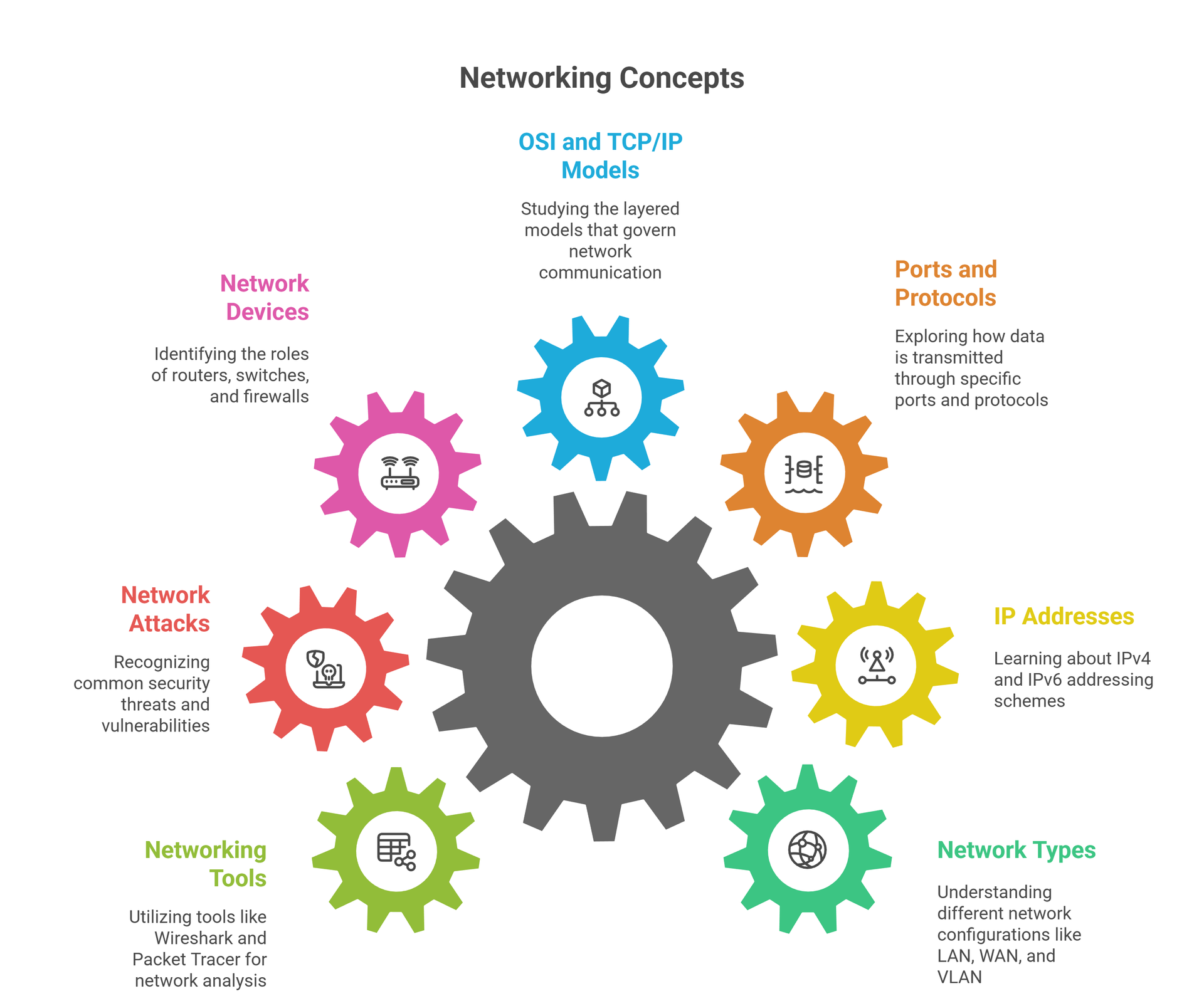
What Is Networking
🌐 What Is Networking in Simple Words?
Networking is the process of connecting computers, servers, mobile devices, and other digital systems so they can share data, resources, and services with each other. Every time you open a website, send a message, watch a video, or make an online payment — networking is working in the background.
In simple words, networking is:
How devices talk to each other over the internet or within a local network.
From home Wi-Fi to global cloud servers, everything runs on networking.
👉 This is why beginner cybersecurity learners usually start with a basic networking course before moving into hacking or SOC roles.
🔄 How Does Networking Actually Work?
Networking works using a combination of:
IP Addresses – Identity of devices
Ports – Entry and exit points for data
Protocols – Rules like HTTP, TCP, UDP, DNS
Routers & Switches – Devices that move data
Servers & Clients – The request–response model
When you type a website:
Your device finds the server using DNS
Data travels through multiple routers
The server sends a response back to you
All of this happens in milliseconds, but attackers also watch this same path for:
Weak ports
Unsecured protocols
Misconfigured devices
👉 In structured learning and networking courses, this entire flow is explained with real diagrams and packet-level examples, not just theory.
🛡️ Why Networking Is the Backbone of Cybersecurity
You cannot become:
An ethical hacker
A bug bounty hunter
A SOC analyst
A cloud security engineer
Without strong networking fundamentals.
With proper networking knowledge, you can:
✅ Understand scan results
✅ Detect suspicious traffic
✅ Analyze attacks like MITM & DDoS
✅ Read firewall and proxy behavior
✅ Move confidently into web security and pentesting
Most cyberattacks fail not because of hacking tools — but because network defenses block them.
👉 That’s why every professional cybersecurity path always starts with a solid networking foundation through a structured beginner course.
What Are Network Types & Why They Exist
🌐 What Are Network Types & Why They Exist
Not all networks are the same. Some networks work inside a single room, while others connect entire cities and countries. These different setups are known as types of networks, and each one is designed for a specific purpose.
Network types define:
How far data can travel
How many devices can connect
How fast communication happens
How secure the network needs to be
From your home Wi-Fi to global tech companies like Google and Amazon — everything runs on a specific type of network.
👉 That’s why every beginner networking and cybersecurity course explains network types before moving into real attacks and defense.
🏠 LAN, 🌍 WAN, 🏙️ MAN – Explained in Simple Words
🔹 LAN (Local Area Network)
A LAN connects devices within a small area, such as:
Homes
Schools
Offices
Labs
Your Wi-Fi network at home is the best example of a LAN.
🔹 WAN (Wide Area Network)
A WAN connects devices across large geographical areas, such as:
Cities
Countries
Continents
The Internet itself is the biggest WAN in the world.
🔹 MAN (Metropolitan Area Network)
A MAN covers an area larger than a LAN but smaller than a WAN, such as:
A full city
Government networks
Large campus networks
These are often used by ISPs, universities, and metro services.
👉 In structured networking courses, these are explained with real infrastructure diagrams so beginners can easily visualize them.
🧠 Why Understanding Network Types Is Important for Hackers & Defenders
When you understand network types, you can:
✅ Know where an attacker can enter
✅ Understand how far an attack can spread
✅ Identify which security controls are required
✅ Plan proper recon & scanning strategies
✅ Design stronger network defenses
For example:
Attacks on a LAN differ from attacks on a WAN
Security planning for a home network is not the same as for a corporate network
👉 This is why ethical hacking, SOC, and network security learners always master network types through guided courses and practice labs, instead of learning randomly from tools only.
What Is an IP Address
📍 What Is an IP Address & Why Every Device Needs One
An IP Address (Internet Protocol Address) is the unique identity of a device on a network or the internet. Just like your home has an address, every device needs an IP address so data knows where to go and where to return.
There are two common types:
Public IP – Visible on the internet
Private IP – Used inside local networks (home, office, labs)
Without IP addresses:
Websites cannot load
Servers cannot respond
Tools cannot scan
Networks cannot function
👉 That’s why IP addressing is taught as a core foundation in beginner networking and ethical hacking courses.
🆔 What Is a MAC Address & How It’s Different from IP
A MAC Address (Media Access Control Address) is a permanent, hardware-based identity assigned to your network device (like Wi-Fi card or Ethernet adapter).
🔹 Key Difference:
IP Address → Changes based on network
MAC Address → Stays mostly permanent
MAC addresses are used inside local networks to:
Identify devices
Control access (MAC filtering)
Track network behavior
Attackers sometimes try to spoof MAC addresses to bypass local security.
👉 In practical networking courses, learners see real MAC address detection and spoofing demos in safe lab environments.
🌍 What Is DNS & How Websites Load So Fast
DNS (Domain Name System) is like the phonebook of the internet. Humans remember names like:
google.com, bugitrix.com
But computers understand only IP addresses.
DNS:
Converts domain names → into IP addresses
Helps browsers find the correct server
Makes the internet simple for humans
If DNS did not exist, you would have to remember:
142.250.183.206 instead of google.com 😄
DNS is also a major attack target through techniques like:
DNS spoofing
DNS hijacking
Fake redirects
👉 That’s why structured networking and cybersecurity courses always include a dedicated DNS security module.
🛡️ Why IP, MAC & DNS Knowledge Is Critical for Cybersecurity
Once you clearly understand IP, MAC, and DNS, you can:
✅ Read scan results accurately
✅ Understand how targets are located
✅ Detect suspicious DNS behavior
✅ Analyze network-level attacks
✅ Move confidently into recon, scanning, and exploitation
Most beginners fail in hacking because they skip networking fundamentals and jump directly to tools.
👉 That’s why professional growth always starts with a solid IP + DNS + Networking foundation through a structured course.
Ports, Protocols & Data Flow
🚪 What Are Ports & Why They Are Important
A port is like a door on a device or server through which data enters and exits. Even if you know a device’s IP address, you still need the correct port to communicate with the right service.
For example:
Port 80 → Websites (HTTP)
Port 443 → Secure websites (HTTPS)
Port 22 → Secure remote login (SSH)
Port 21 → File transfer (FTP)
If ports are open and misconfigured, attackers can:
Enter networks
Access hidden services
Launch brute-force attacks
Exploit weak applications
👉 That’s why port scanning and port security are core topics in beginner networking and ethical hacking courses.
📜 What Are Protocols & How Data Follows Rules
A protocol is a set of rules that tells devices how data should be sent, received, and understood. Without protocols, communication on the internet would be impossible.
Some important protocols you’ll see everywhere:
HTTP / HTTPS – Web communication
TCP / UDP – Data transport
DNS – Domain to IP conversion
FTP – File transfer
SMTP – Email sending
Protocols decide:
How fast data moves
How reliable the connection is
How errors are handled
How secure the communication is
👉 In structured networking courses, these protocols are explained with real packet behavior and live examples, not just definitions.
🔄 How Data Actually Flows Across a Network
When you send a request (like opening a website), this is what happens:
Your device selects the destination IP
It chooses the right port & protocol
Data is broken into packets
Packets travel through routers
The server responds back the same way
This entire round trip is called data flow.
Hackers and defenders both analyze this flow to:
✅ Detect abnormal traffic
✅ Identify attacks like MITM & DDoS
✅ Trace where data is leaking
✅ Understand how exploits move
👉 This is why real cybersecurity learners always study ports, protocols, and packet flow through guided networking courses before moving into advanced hacking.
OSI Model & TCP/IP Model
🧩 OSI Model & TCP/IP Model (Easy Explanation)
Understanding the OSI Model and TCP/IP Model is one of the most important foundations of networking and cybersecurity. These models explain how data actually travels from one device to another, step by step, from physical cables to web applications.
If you ever want to become:
An ethical hacker
A bug bounty hunter
A SOC analyst
A network security engineer
Then you must understand these models properly, not just by definition—but by how they work in real life.
🔹 What Is the OSI Model & Why It Exists
The OSI Model (Open Systems Interconnection Model) is a 7-layer framework that explains how data moves through a network from start to finish. It was created to standardize networking communication so that devices from different manufacturers could work together smoothly.
Instead of sending data in one confusing block, the OSI model breaks communication into 7 simple layers, where each layer has a specific job.
✅ The 7 OSI Layers (From Bottom to Top):
Physical Layer – Cables, Wi-Fi signals, hardware transmission
Data Link Layer – MAC addresses, switching, frame delivery
Network Layer – IP addresses, routing, packet forwarding
Transport Layer – TCP/UDP, reliability, speed control
Session Layer – Session creation, management, termination
Presentation Layer – Data formatting, encryption, compression
Application Layer – Browsers, apps, HTTP, FTP, SMTP, DNS
Each layer:
Receives data from the layer above
Adds its own information
Passes it to the layer below
This layered design makes:
✅ Troubleshooting easy
✅ Security analysis accurate
✅ Attack detection faster
✅ Tool behavior understandable
👉 In professional networking and ethical hacking courses, the OSI model is explained with visual animations and packet-flow breakdowns so beginners don’t get confused.
🔹 What Is the TCP/IP Model & How the Real Internet Works
While the OSI model is used for learning and design, the TCP/IP model is what the real internet actually uses.
The TCP/IP model has only 4 layers and is more practical:
✅ The 4 TCP/IP Layers:
Network Access Layer – Hardware + physical transmission
Internet Layer – IP addressing & routing
Transport Layer – TCP & UDP communication
Application Layer – Web, email, DNS, FTP, APIs
The TCP/IP model:
Is simpler than OSI
Is used in real-world networking
Controls how:
Data is sent
Errors are handled
Connections are created
Traffic is routed
👉 This is why all hacking tools, scanners, firewalls, and IDS/IPS systems are built on TCP/IP principles, which are deeply taught in structured cybersecurity courses.
🔹 OSI vs TCP/IP – The Real Difference (Simple View)
| Feature | OSI Model | TCP/IP Model |
|---|---|---|
| Purpose | Conceptual learning model | Practical implementation model |
| Layers | 7 layers | 4 layers |
| Used In | Education & design | Real internet communication |
| Security Use | Attack mapping & defense analysis | Real attack execution |
✅ OSI = How we understand networking
✅ TCP/IP = How the internet actually works
Ethical hackers use both models together:
OSI to analyze attacks
TCP/IP to execute and defend against attacks
🔥 Why the OSI & TCP/IP Models Are Critical for Hacking & Defense
Once you truly understand these models, you will instantly understand:
✅ Where a vulnerability exists
✅ Which layer an attack targets
✅ How firewalls block traffic
✅ How packets move across the internet
✅ Why scans return specific results
✅ How malware communicates
✅ How MITM & DDoS attacks work
✅ How bug bounty vulnerabilities are classified
For example:
XSS & SQL Injection → Application Layer
IP Spoofing → Network Layer
MITM → Transport + Network Layer
Brute Force → Application + Transport Layer
This is why every professional cybersecurity roadmap places OSI & TCP/IP right at the core of networking education.
🚀 How This Knowledge Accelerates Your Cybersecurity Career
With proper understanding of OSI & TCP/IP, you can confidently move into:
✅ Ethical Hacking
✅ Bug Bounty Hunting
✅ SOC & Blue Team Analysis
✅ Network Security
✅ Cloud Security
✅ Forensics & Incident Response
Without this knowledge:
❌ Tools feel confusing
❌ Scan results look meaningless
❌ Attacks feel like random commands
❌ Career growth becomes slow
👉 That’s why most serious learners upgrade from free resources to a complete structured networking + cybersecurity foundation course that teaches these models with real packet-level practice.
Routers, Switches, Firewalls & Servers
🌐 Routers, Switches, Firewalls & Servers (Easy + Practical Explanation)
Every network — from your home Wi-Fi to massive data centers like Google and Amazon — is built using four core components:
✅ Routers
✅ Switches
✅ Firewalls
✅ Servers
If you truly understand how these four work together, you will automatically understand:
How the internet works
How attacks move
How security is enforced
How data is stored and delivered
This knowledge is mandatory for ethical hacking, SOC analysis, cloud security, and network defense.
🔹 What Is a Router & Why It Is the Gatekeeper of the Internet
A router is a device that connects different networks together and decides where data should go next.
In simple words:
A router is the traffic police of the internet.
✅ What a Router Does:
Connects your home network to the internet
Assigns private IP addresses to devices
Forwards data to the correct destination
Performs NAT (Network Address Translation)
Often works as the first security checkpoint
✅ Real-Life Example:
Your mobile → connects to Wi-Fi → Wi-Fi router → ISP → Internet → Website server
🔥 Router From a Hacker’s View:
Hackers analyze routers to:
Find open management ports
Exploit weak router passwords
Abuse misconfigured NAT
Launch Man-in-the-Middle attacks
👉 That’s why router security & network perimeter defense is always taught in professional cybersecurity courses with real attack-defense explanations.
🔹 What Is a Switch & How Local Networks Really Work
A switch is used inside a local network (LAN) to connect multiple devices like:
Computers
Printers
Servers
Security cameras
Unlike routers, switches do not connect to the internet directly. They only manage traffic inside the local network.
✅ What a Switch Does:
Connects devices inside a LAN
Uses MAC addresses to forward data
Sends data only to the correct device
Makes local communication fast & efficient
✅ Switch vs Hub (Important for Beginners):
Hub → Broadcasts data to all devices
Switch → Sends data only to the target
🔥 Switch From a Hacker’s View:
Hackers target switches using:
ARP spoofing
MAC flooding
Packet sniffing inside LAN
👉 This is why LAN attacks and internal network security are always part of structured ethical hacking and networking courses.
🔹 What Is a Firewall & How It Protects Networks
A firewall is a security guard between trusted and untrusted networks. It decides:
✅ What traffic is allowed
❌ What traffic must be blocked
Firewalls can exist as:
Hardware firewalls (network devices)
Software firewalls (inside operating systems)
Cloud firewalls (AWS, Azure, etc.)
✅ What a Firewall Does:
Blocks unauthorized access
Allows only approved ports & protocols
Protects servers from scans & attacks
Monitors incoming & outgoing traffic
✅ Example:
Port 80 and 443 → Allowed
Port 21 and 23 → Blocked
🔥 Firewall From a Hacker’s View:
Ethical hackers try to:
Detect firewall rules
Bypass filtering
Use allowed ports to tunnel attacks
Exploit misconfigured firewall policies
👉 That’s why firewall behavior is deeply explained in SOC, Blue Team, and Pentesting courses with real traffic analysis.
🔹 What Is a Server & Why Everything Depends on It
A server is a powerful computer that:
Stores websites
Hosts applications
Manages databases
Handles user authentication
Delivers data to users
Examples of servers include:
Web servers (Apache, Nginx)
Database servers (MySQL, MongoDB)
Mail servers
Cloud servers
Every time you:
Open a website
Log in to an app
Watch a video
Make a payment
You are interacting with multiple servers at the same time.
🔥 Server From a Hacker’s View:
Hackers analyze servers for:
Open service ports
Weak authentication
Outdated software
Misconfigured permissions
Insecure APIs
👉 This is why server security is a core pillar of web security, cloud security, and bug bounty training.
🧠 How Routers, Switches, Firewalls & Servers Work Together
Here is the real flow in simple terms:
Your Device → Switch → Router → Firewall → Server → Response → Firewall → Router → Switch → Your Device
Each component plays a security role:
Switch → Controls internal traffic
Router → Controls external routing
Firewall → Controls access rules
Server → Provides data & services
If any one component is misconfigured, the entire network becomes vulnerable.
🚨 Why This Knowledge Is Critical for Cybersecurity & Hacking
Once you understand these devices, you can:
✅ Map real-world networks
✅ Understand how attacks move
✅ Detect where to block threats
✅ Analyze firewall logs
✅ Read scan results correctly
✅ Perform network & web pentesting
✅ Understand cloud security architecture
✅ Work as a SOC analyst confidently
Without this knowledge:
❌ Scans feel meaningless
❌ Attacks make no sense
❌ Firewall rules look confusing
❌ Server security feels overwhelming
👉 That’s why serious learners always master network devices through structured networking + cybersecurity foundation courses before jumping into advanced hacking and cloud security.
Common Network Attacks
🚨 Common Network Attacks (Beginner Level)
Every cyberattack you hear about — from data breaches to website shutdowns — starts at the network level. Before attackers hack applications, they usually attack the network itself to enter, spy, disrupt, or take control.
As a beginner in networking and cybersecurity, you must understand how these basic network attacks work. This knowledge helps you:
Think like an attacker
Defend like a security professional
Understand real-world hacking news
Build a strong base for ethical hacking, SOC, and bug bounty
Let’s break the most important beginner-level network attacks in simple language.
🔹 1. Man-in-the-Middle (MITM) Attack
A Man-in-the-Middle attack happens when an attacker secretly places themselves between two communicating devices — for example, between:
A user and a website
A phone and a Wi-Fi router
The victim thinks they are communicating normally, but the attacker is:
✅ Reading the data
✅ Modifying the data
✅ Stealing passwords or session cookies
✅ Example:
You connect to a public Wi-Fi at a café. An attacker on the same network intercepts your traffic and steals your login details.
🔥 Why It’s Dangerous:
Steals credentials
Captures sensitive data
Hijacks user sessions
👉 In structured cybersecurity courses, MITM attacks are demonstrated only in legal lab environments so learners understand the danger without breaking any law.
🔹 2. DDoS (Distributed Denial of Service) Attack
A DDoS attack is when attackers flood a server or network with massive fake traffic, making it slow or completely unavailable for real users.
Instead of hacking data, the goal here is:
❌ To crash the service
✅ Example:
A gaming website goes offline
An e-commerce site stops working during a sale
A government website becomes unreachable
These outages are often caused by DDoS attacks.
🔥 Why It’s Dangerous:
Causes business loss
Damages brand trust
Can take down entire networks
👉 These attacks are deeply analyzed in Blue Team and network defense courses, where learners understand how to detect and block malicious traffic.
🔹 3. ARP Spoofing / ARP Poisoning
ARP (Address Resolution Protocol) Spoofing is a LAN-based attack where an attacker tricks devices inside a local network and redirects traffic through their system.
In simple words:
The attacker pretends to be the router.
✅ What Happens:
The attacker sends fake ARP messages
Devices send traffic to the attacker instead of the real router
The attacker can:
Spy on traffic
Modify data
Launch MITM attacks
This attack is very common in Wi-Fi and internal network hacking.
👉 In professional ethical hacking courses, ARP spoofing is taught as a controlled lab experiment, not used on real public networks.
🔹 4. Port Scanning & Network Enumeration
Before launching any real attack, hackers always start with port scanning. They look for:
Open ports
Running services
Weak network configurations
Tools like Nmap are used for this.
✅ What Attackers Learn From Scanning:
Which services are exposed
Which OS is running
Which ports are vulnerable
Which services can be attacked directly
Port scanning is not illegal when done on your own systems or authorized targets, but scanning random websites without permission is illegal.
👉 That’s why ethical hacking courses teach scanning only on legal practice labs and authorized environments.
🔹 5. IP Spoofing
In an IP Spoofing attack, the attacker forges the source IP address to:
Hide their real identity
Bypass security filters
Trick systems into trusting malicious traffic
This technique is often used in:
DDoS attacks
Trust-based network attacks
Session hijacking
👉 Understanding IP spoofing helps beginners learn why firewalls, logging, and traffic validation are critical in network security.
🔹 6. DNS Attacks (Spoofing & Hijacking)
DNS attacks target the system that converts website names into IP addresses.
In DNS-based attacks:
Users are redirected to fake websites
Login credentials are stolen
Malware is downloaded silently
✅ Types:
DNS Spoofing
DNS Hijacking
DNS Cache Poisoning
If DNS is compromised, even the most secure user can be tricked.
👉 This is why DNS security is explained in both networking and ethical hacking foundation courses.
🧠 Why Beginners Must Learn Network Attacks Early
If you don’t understand network attacks, you will:
❌ Misinterpret hacking tools
❌ Fail to understand security logs
❌ Misjudge real-world cyber incidents
❌ Struggle in bug bounty and SOC roles
But if you do understand these attacks, you will:
✅ Think like an attacker
✅ Analyze traffic like a defender
✅ Understand how breaches really happen
✅ Build strong prevention strategies
✅ Progress faster in cybersecurity careers
Network attacks are the first battlefield of cybersecurity.
🛡️ Network Attacks in Ethical Hacking vs Real Crime
Let’s be very clear:
✅ Ethical hackers:
Test only with permission
Work in authorized environments
Follow laws and legal boundaries
❌ Criminal hackers:
Attack random systems
Steal data
Disrupt services
Commit cybercrime
👉 This is why every professional cybersecurity program includes a strict legal & ethical training module before teaching any attack concept.
🚀 How Network Attack Knowledge Powers Your Cybersecurity Career
With strong basics of network attacks, you can move into:
✅ Ethical Hacking & Pentesting
✅ Bug Bounty Hunting
✅ SOC & Blue Team Operations
✅ Network Security Engineering
✅ Cloud & Infrastructure Security
Every advanced security role is built on top of these basic network attack concepts.
👉 That’s why serious learners always move from free theory to a complete structured networking + cybersecurity course with attack-defense labs.
Networking Tools & Ethical Rules
🛠️ Networking Tools & Ethical Rules (Detailed)
Learning networking without tools is like learning driving without a vehicle. Tools help you see, test, analyze, and understand how networks really behave. But just as important as tools are the ethical rules that define what is legal and what is cybercrime.
A true cybersecurity professional is defined by:
✅ The tools they use
✅ And the ethics they follow
You must master both together.
🔹 Essential Beginner Networking Tools You Must Know
You don’t need advanced military-grade tools to start. As a beginner, these tools are more than enough to build a strong networking and cybersecurity foundation.
✅ 1. Ping – Testing Network Connectivity
Ping is the simplest networking command used to check whether a device or server is:
Online
Reachable
Responding to requests
It helps beginners understand:
Network delay (latency)
Packet loss
Basic connectivity status
🔐 Used daily by both network engineers and security analysts.
✅ 2. Traceroute / Tracert – Tracking the Path of Data
This tool shows the exact path your data takes from your device to a destination server.
It helps you understand:
How many routers your data passes through
Where network delays occur
Where traffic might be blocked
This tool is extremely useful in:
Network troubleshooting
DDoS analysis
Latency investigation
✅ 3. Nmap – Network Scanning & Enumeration
Nmap is the most famous networking and security scanning tool in the world. It is used to:
Detect open ports
Identify running services
Detect OS type
Discover devices on a network
Beginners use Nmap to understand:
Which services are exposed
How networks appear from an attacker’s view
Which ports should be secured
👉 This is why Nmap is always included in beginner networking, ethical hacking, and SOC courses.
✅ 4. Wireshark – Network Traffic Analysis
Wireshark is a packet analyzer that lets you:
Capture live network traffic
Analyze protocols
Detect suspicious behavior
Study real packet flow
With Wireshark, beginners can clearly see:
How HTTP requests work
How DNS queries look
How TCP handshakes happen
How attacks look in traffic
👉 This tool is a core requirement for SOC Analysts and Blue Team roles.
✅ 5. Netstat / SS – Monitoring Connections
These tools show:
Active network connections
Listening ports
Connected IP addresses
Background services
They are used to:
Detect unwanted connections
Monitor suspicious behavior
Identify malware communication
✅ 6. Online Network & Port Scanners
These are browser-based tools used to:
Scan public IPs (legally)
Check open ports
Test firewall behavior
Detect DNS issues
They are beginner-friendly and require no installation.
🧠 Why Beginners Must Learn Networking Tools Early
If you don’t use networking tools:
❌ You won’t understand what’s happening inside a network
❌ Tools will feel like magic instead of logic
❌ You will misinterpret scan results
❌ You will struggle in hacking, SOC, and cloud security
If you do learn networking tools properly:
✅ You understand scan results clearly
✅ You can analyze attacks correctly
✅ You can troubleshoot networks confidently
✅ You can move into ethical hacking and blue team roles smoothly
👉 This is why structured cybersecurity courses always teach tools + theory together, never separately.
⚖️ Ethical Rules for Networking & Cybersecurity (VERY IMPORTANT)
Now comes the most important part of your entire cybersecurity journey:
ETHICS & LEGAL BOUNDARIES
Without ethics, you are not a cybersecurity learner — you are a criminal.
✅ What You Are ALLOWED to Test
You are legally allowed to test only:
✅ Your own devices
✅ Your own home network
✅ Legal practice labs (TryHackMe, Hack The Box, etc.)
✅ Authorized bug bounty programs
✅ Written permission from an organization
If you do not have permission —
❌ DO NOT TOUCH IT
❌ What Is ALWAYS Illegal
These actions are cyber crimes:
❌ Scanning random websites
❌ Testing public Wi-Fi without permission
❌ Attempting to bypass logins
❌ Eavesdropping on private traffic
❌ Launching DDoS attacks
❌ Capturing credentials
❌ Tampering with others’ data
Even one mistake can lead to:
Heavy fines
Police cases
Jail time
Permanent career damage
There is NO excuse for “I was just learning.”
🧑💼 Ethical Hacking vs Cyber Crime (Final Difference)
✅ Ethical hackers:
Work with permission
Follow legal contracts
Protect systems
Report vulnerabilities responsibly
Build careers
❌ Criminal hackers:
Attack without permission
Steal data
Damage systems
Hide their identity
Destroy their future
Your intention + permission defines which side you are on.
🛡️ How Ethics Protect Your Career in the Long Term
If you follow ethical rules:
✅ You can work in companies
✅ You can earn through bug bounty
✅ You can become a pentester
✅ You can work in SOC teams
✅ You can build a public security reputation
✅ You can legally showcase your skills
If you break ethical rules even once:
❌ You can be permanently blacklisted
❌ You can lose job opportunities
❌ You can face legal action
❌ You can destroy your cybersecurity career forever
👉 This is why every professional cybersecurity program starts and ends with ethical training.
🚀 Final Career Impact of Networking Tools + Ethics
Once you master:
✅ Networking tools
✅ Ethical practice
You unlock paths into:
Ethical Hacking
Bug Bounty Hunting
SOC & Blue Team Operations
Network Security
Cloud & Infrastructure Security
Incident Response
Networking + Ethics is the true entry gate into real cybersecurity careers.
👉 That’s why serious learners always move from free tutorials into a complete structured networking + cybersecurity foundation course that teaches tools, labs, and ethics together.
