
Introduction — Cybersecurity Tooling Landscape 🔐💻
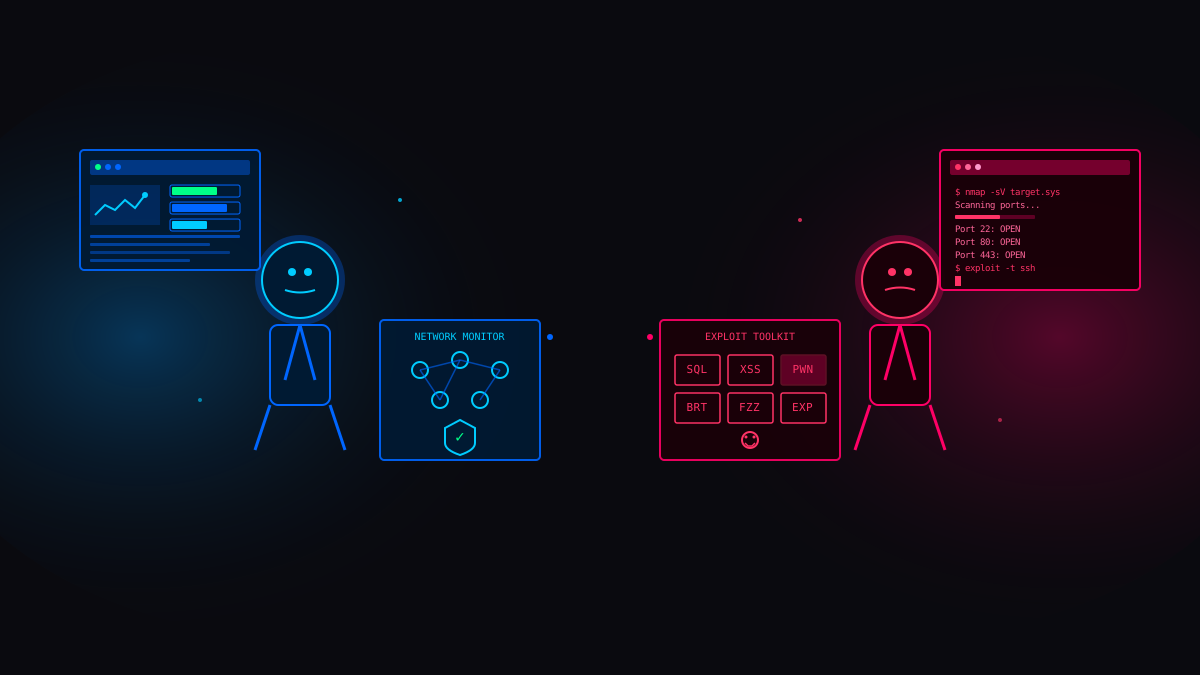
Cybersecurity is not just about knowledge — it’s about tools, mindset, and execution. Whether you’re defending networks as a Blue Team analyst or ethically attacking systems as a Red Team operator, the tools you use shape how effectively you learn, test, and protect real-world systems.
One of the biggest myths in cybersecurity is that you need expensive tools to be effective. In reality, many of the most powerful security tools used by professionals today are free and open-source. These tools run in Security Operations Centers (SOCs), power penetration tests, and help bug bounty hunters uncover critical vulnerabilities every day.
Free cybersecurity tools matter because they:
Lower the entry barrier for beginners
Allow hands-on learning without legal or financial risk
Are often the foundation of enterprise-grade security platforms
What Are Free Cybersecurity Tools?
Free cybersecurity tools are software applications that help security professionals detect, analyze, exploit, or defend systems without licensing costs. Most of them are open-source, community-driven, and continuously improved by security researchers around the world.
These tools are used for:
Monitoring network traffic
Detecting intrusions and anomalies
Scanning for vulnerabilities
Simulating real-world attacks in a controlled and legal manner
Unlike trial-based tools, free tools usually offer full core functionality, making them ideal for both learning and professional use.
Why Blue Teams and Red Teams Rely on Free Tools
Blue Teams focus on defense — detecting threats, analyzing logs, and responding to incidents. Red Teams focus on offense — identifying weaknesses, exploiting vulnerabilities, and testing how far an attacker can go. While their goals differ, both rely heavily on the same free tooling ecosystem.
| Aspect | Blue Team | Red Team |
|---|---|---|
| Primary Focus | Detection and response | Attack simulation |
| Daily Objective | Protect systems | Break systems ethically |
| Core Activities | Monitoring, logging, forensics | Recon, exploitation, post-exploitation |
| Tool Philosophy | Visibility and accuracy | Precision and creativity |
This overlap is intentional. Defensive teams must understand how attackers think, and offensive teams must understand how defenses work. Free tools make this shared understanding possible.
⚠️ Important: Tools themselves are neutral. What makes their use ethical or illegal is authorization and intent. Every tool discussed in this guide is meant for learning, defense, and authorized testing only.
What This Guide Will Help You Achieve
This guide is designed to help you:
Choose the right free tools for your role
Understand where each tool fits in real-world security workflows
Build practical skills without relying on paid software
Whether you’re a student, aspiring ethical hacker, SOC analyst, or bug bounty hunter, mastering these tools will help you think like a professional and act responsibly.
Free tools don’t limit you — lack of understanding does.
Top Free Tools for Blue Teams — Defensive Security 🔐

Blue Teams are responsible for detecting, analyzing, and responding to security threats before attackers can cause damage. In real-world environments, defenders rarely rely on expensive tools alone. Instead, they build layered defenses using free and open-source security tools that provide visibility across networks, systems, and endpoints.
Mastering these tools helps you think like a defender, spot malicious behavior early, and respond with confidence.
Network Monitoring & Intrusion Detection
Network visibility is the foundation of Blue Team operations. If you can’t see traffic, you can’t detect attacks. Intrusion Detection Systems analyze network packets to identify suspicious behavior, malware activity, and exploitation attempts.
Commonly used free tools:
Zeek (Bro) – Focuses on deep traffic analysis and rich logging
Suricata – Detects known attack patterns using signatures and behavioral rules
| Feature | Zeek | Suricata |
|---|---|---|
| Detection Style | Behavioral analysis | Signature + behavior |
| Output | Detailed logs | Real-time alerts |
| Best For | Threat hunting | Intrusion detection |
| Learning Curve | Medium | Beginner-friendly |
These tools are widely used in SOC environments to detect scans, brute-force attempts, and command-and-control traffic.
SIEM & Log Analysis
Logs tell the story of what happened inside a system. Blue Teams rely on log aggregation and correlation tools to detect suspicious patterns that would otherwise go unnoticed.
Popular free options include:
Wazuh – Host-based detection combined with SIEM capabilities
Elastic Stack (Free Tier) – Log ingestion, search, and visualization
These tools help detect:
Brute-force login attempts
Privilege escalation
Suspicious process execution
⚠️ Poorly tuned log systems generate noise. Effective Blue Teams focus on quality alerts, not quantity.
Vulnerability Scanning & Exposure Management
Attackers often exploit vulnerabilities that defenders already know about. Vulnerability scanners help Blue Teams identify and prioritize weaknesses before they are abused.
Widely used free tools:
OpenVAS / Greenbone Community Edition
Nmap for service and version detection
| Scan Type | Authenticated | Unauthenticated |
|---|---|---|
| Access Level | Internal system access | External view only |
| Accuracy | High | Medium |
| False Positives | Low | Higher |
| Best Use | Internal audits | External exposure |
Regular scanning allows teams to reduce attack surfaces and focus remediation efforts effectively.
Endpoint Security & Threat Hunting
Modern attacks frequently bypass perimeter defenses and target endpoints directly. Threat hunting tools give Blue Teams visibility into processes, users, and system behavior.
Key free tools:
OSQuery – Query endpoints like a database
Security Onion – Integrated detection and monitoring platform
These tools help detect:
Suspicious processes
Unauthorized persistence mechanisms
Lateral movement attempts
Threat hunting shifts Blue Teams from reactive to proactive defense.
Blue Team Defensive Mindset
Effective defense is not about blocking everything — it’s about seeing clearly, responding fast, and learning continuously.
Strong Blue Teams:
Assume compromise is possible
Focus on visibility and evidence
Continuously improve detection logic
Free tools make this mindset accessible to anyone willing to learn and practice.
Top Free Tools for Red Teams — Offensive Security 💻

Red Teams emulate real attackers to uncover weaknesses before they are exploited in the wild. Unlike random hacking, ethical offensive security follows a structured, authorized, and documented approach. Free and open-source tools dominate this space because they are flexible, transparent, and constantly tested by the global security community.
Learning these tools trains you to think like an attacker while maintaining a professional and ethical mindset.
Reconnaissance & Enumeration
Every successful attack starts with information. Reconnaissance helps attackers understand the target’s infrastructure, exposed services, and potential entry points.
Commonly used free tools:
Nmap – Network discovery and service enumeration
Amass – Subdomain and attack surface mapping
Recon-ng – OSINT and automated reconnaissance
| Recon Phase | Purpose |
|---|---|
| Network Scanning | Identify live hosts |
| Port Discovery | Find exposed services |
| Service Enumeration | Detect versions and misconfigurations |
| OSINT | Gather public intelligence |
Strong reconnaissance reduces guesswork and increases the success rate of later attack phases.
Vulnerability Exploitation
Once weaknesses are identified, Red Teams safely exploit them to demonstrate real-world impact. Exploitation proves whether a vulnerability is truly dangerous or just theoretical.
Widely used free tools:
Metasploit Framework – Exploitation and payload delivery
SQLmap – Automated SQL injection testing
These tools help validate:
Remote code execution
Authentication bypasses
Database compromise
⚠️ Exploitation must always be performed with explicit authorization. Without permission, the same actions become illegal.
Post-Exploitation & Lateral Movement
Real attackers rarely stop after initial access. Post-exploitation focuses on understanding how far an attacker can move inside an environment and what data is at risk.
Popular free tools and techniques:
Empire – Post-exploitation framework
Native tools like PowerShell and WinRM
| Objective | Example |
|---|---|
| Persistence | Maintaining access |
| Privilege Escalation | Gaining higher permissions |
| Lateral Movement | Accessing other systems |
| Data Access | Identifying sensitive assets |
This phase highlights the true business impact of a successful breach.
Phishing & Social Engineering
Technical defenses can be strong, but humans remain a frequent entry point. Social engineering tests how users respond to realistic attack scenarios.
Common free tool:
Gophish – Phishing campaign simulation
| Attack Type | Goal |
|---|---|
| Email Phishing | User interaction |
| Credential Harvesting | Capture login data |
| Awareness Testing | Measure security culture |
Ethical phishing is used to educate and improve security awareness, not to punish users.
Red Team Offensive Mindset
Effective Red Teaming is about precision, patience, and documentation — not chaos.
Professional Red Teams:
Think creatively but act responsibly
Chain small weaknesses into meaningful impact
Clearly communicate risk to defenders
Free tools enable anyone to practice offensive security, but discipline and ethics define real skill.
Cross-Functional & Platform-Neutral Cybersecurity Tools 🔐

In real-world security work, the line between Blue Team and Red Team is often blurred. Many tools are used by both defenders and attackers, depending on the situation. These cross-functional tools strengthen overall security understanding by providing shared visibility into systems, networks, and evidence.
Mastering these tools helps you communicate better across teams and understand security from multiple perspectives.
Packet Analysis & Network Visibility
Network packets reveal how systems actually communicate. Packet analysis tools allow security professionals to inspect traffic at a granular level, making them essential for both attack analysis and defense verification.
Widely used free tool:
Wireshark
Wireshark is used to:
Identify suspicious network behavior
Analyze malware communication
Validate whether attacks succeeded or failed
| Use Case | Blue Team | Red Team |
|---|---|---|
| Traffic Analysis | Detect anomalies | Verify exploit behavior |
| Protocol Inspection | Investigate incidents | Understand target services |
| Evidence Collection | Forensics | Proof of concept |
Understanding packet data builds strong networking fundamentals, which are critical across all security roles.
Digital Forensics & Incident Investigation
After an incident occurs, teams must determine what happened, how it happened, and what was affected. Forensics tools provide answers by analyzing disks, memory, and system artifacts.
Common free tools:
Autopsy – Disk and file system forensics
Volatility – Memory analysis
| Forensic Focus | Insight Gained |
|---|---|
| Disk Analysis | Deleted files, malware traces |
| Memory Analysis | Running processes, injected code |
| Timeline Creation | Attack progression |
| Evidence Preservation | Legal and audit readiness |
Forensics connects detection to accountability and recovery.
Collaboration, Reporting & Vulnerability Management
Finding vulnerabilities is only half the job. Clear documentation and tracking ensure that security issues are fixed and verified.
Popular free platform:
OWASP DefectDojo
| Stage | Description |
|---|---|
| Discovery | Vulnerability identified |
| Validation | False positives removed |
| Risk Rating | Severity assigned |
| Remediation | Fix implemented |
| Verification | Issue re-tested |
| Closure | Officially resolved |
Strong reporting turns technical findings into actionable security improvements.
Cross-Team Security Mindset
Security is most effective when teams share understanding instead of working in silos.
Professionals who use cross-functional tools:
Communicate findings clearly
Understand attacker and defender perspectives
Build stronger, more realistic security strategies
These tools form the bridge between offense and defense, making them essential for anyone serious about cybersecurity.
How to Choose the Right Cybersecurity Tool 🛡️
With hundreds of free cybersecurity tools available, the real challenge is not access — it’s selection. Choosing the wrong tools wastes time, creates blind spots, and slows skill development. Skilled professionals focus on tools that align with their goals, environment, and experience level.
This section helps you make practical, professional tool decisions.
Understand Your Objective First
Every tool exists to solve a specific problem. Before using any tool, you should clearly understand what you are trying to achieve.
| Goal | Tool Focus |
|---|---|
| Detect attacks | Monitoring, logging, SIEM |
| Prevent exploitation | Patching, configuration audits |
| Find weaknesses | Scanners, recon tools |
| Prove impact | Exploitation frameworks |
| Investigate incidents | Forensics and analysis |
When the objective is clear, tool selection becomes simple.
Match Tools to Skill Level
Using advanced tools without fundamentals leads to shallow understanding. Effective learning follows a gradual progression.
| Skill Level | Recommended Tool Focus |
|---|---|
| Beginner | Scanners, basic monitoring |
| Intermediate | SIEM, exploitation frameworks |
| Advanced | Automation, custom tooling |
Strong fundamentals allow you to adapt to any tool in the future.
Evaluate Tool Quality, Not Popularity
A good security tool is not defined by hype. Professionals look for reliability, transparency, and maintainability.
Key indicators of a quality tool:
Active development and updates
Clear documentation
Strong community support
Proven real-world usage
⚠️ Tools that are outdated or poorly maintained often introduce more risk than value.
Integration & Workflow Fit
Security tools rarely operate alone. The best tools fit naturally into workflows and complement each other.
| Workflow Stage | Example Tools |
|---|---|
| Discovery | Nmap |
| Analysis | OpenVAS, Wireshark |
| Detection | Wazuh, Zeek |
| Reporting | DefectDojo |
Chaining tools together creates visibility and efficiency.
Professional Tooling Mindset
Tools are extensions of your thinking, not replacements for it.
Skilled professionals:
Choose tools intentionally
Understand how tools work internally
Focus on outcomes, not tool count
When you master the reasoning behind tool selection, adapting to new tools becomes effortless.
Future Trends in Free Cybersecurity Tools 🚀

Cybersecurity tools evolve as fast as the threats they are designed to stop. Free and open-source tools often lead this evolution because they are built, tested, and improved by practitioners actively working in the field. Understanding these trends helps you prepare for what modern security roles will demand.
AI-Assisted Security Analysis
Artificial intelligence is increasingly used to support, not replace, human analysts. In free security tools, AI is mainly applied to pattern recognition and anomaly detection.
AI-assisted tooling is commonly used for:
Log correlation at scale
Identifying abnormal behavior
Reducing alert fatigue
⚠️ AI improves efficiency, but human judgment remains critical, especially during incident response and exploitation validation.
Cloud-Native & Container Security
As infrastructure shifts to cloud and containerized environments, security tooling must adapt. Free tools are rapidly expanding in this area.
Key focus areas include:
Cloud misconfiguration detection
Container image scanning
Kubernetes security monitoring
Modern security professionals are expected to understand cloud attack surfaces, not just traditional networks.
Automation-Driven Security Workflows
Manual security processes do not scale. Automation is becoming a core design principle in free cybersecurity tools.
Automation enables:
Continuous scanning
Faster incident response
Consistent security checks
⚠️ Poorly tuned automation can generate noise and false confidence. Automation must be paired with strong logic and review.
Community-Driven Open-Source Innovation
The strength of free tools lies in their communities. Tools with active contributors evolve faster and remain relevant longer.
| Indicator | Why It Matters |
|---|---|
| Active updates | Security fixes and improvements |
| Open issue tracking | Transparency |
| Strong documentation | Faster onboarding |
| Community adoption | Real-world validation |
Learning to evaluate open-source projects is a valuable security skill on its own.
Future-Ready Security Mindset
Trends change, but fundamentals remain constant.
Security professionals who stay relevant:
Learn concepts over tools
Understand how systems fail
Adapt faster than attackers
Free tools will continue to evolve, but critical thinking and ethics will always define expertise.
Final Thoughts 🔐
Free cybersecurity tools are not a shortcut — they are the foundation of real-world security work. The same tools used for learning are actively deployed in production environments, security operations centers, and ethical hacking engagements around the world.
What truly separates beginners from professionals is not the number of tools they know, but how deeply they understand them and how responsibly they use them.
Strong security professionals:
Focus on fundamentals before advanced techniques
Understand both attacker and defender perspectives
Use tools to support decisions, not replace thinking
Cybersecurity is a continuous process of learning, testing, failing, and improving. Tools will change. Techniques will evolve. The mindset you build by mastering free tools will stay with you throughout your career.
If you can understand how systems work, how they break, and how to defend them ethically, you are already on the right path.
Ready to Level Up Your Cybersecurity Skills? 🔐
You’ve just explored the same free cybersecurity tools used by real Blue Teams, Red Teams, and ethical hackers in the field. The next step is not reading more — it’s practicing, discussing, and growing with the right community.
🚀 Join the Bugitrix Cybersecurity Community
Get daily exposure to:
Practical security tools and workflows
Blue Team & Red Team insights
Bug bounty techniques and real-world attack scenarios
Clear, beginner-friendly explanations without fluff
👉 Telegram: https://t.me/bugitrix
🌐 Learn Smarter with Bugitrix
Access curated cybersecurity resources, learning paths, and upcoming labs designed to take you from learner to practitioner.
👉 Website: https://bugitrix.com
📩 Stay Ahead with Weekly Security Insights
No spam. No noise. Just:
Tool breakdowns
Security concepts that actually matter
Career-focused guidance for modern cybersecurity roles
👉 Subscribe to the Bugitrix Newsletter
Final Reminder
Tools don’t make you a security professional.
Understanding systems does.
Ethics define everything.
Welcome to Bugitrix — build skills that matter. 🔐💻