
Bug Bounty Report Template: How to Write a Report That Gets Paid (Free Template Included)
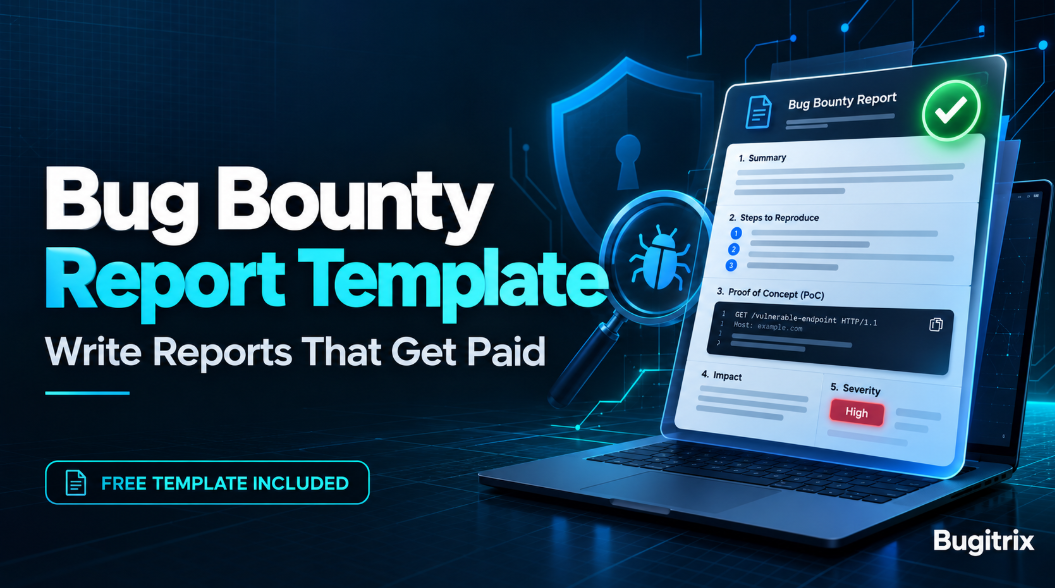
You spent a weekend testing a program and found something that looked real. You wrote a few lines, hit submit, and days later the status changed to "Informative" or "Not Applicable" with a one-line reply. Sound familiar?
Often the bug was not the problem. The report was. Triagers read many reports a day, and if they cannot reproduce your finding in a few minutes, it gets closed or delayed.
This guide gives you a free bug bounty report template you can copy today, a filled-in example from a practice lab, a severity guide, and a checklist to run before every submission. You will also learn what beginners get wrong most often.
Table of Contents
- What makes a bug bounty report get paid?
- Free bug bounty report template (copy and paste)
- How to fill in each section
- Bug bounty report example from a practice lab
- How to choose severity without overselling
- Common mistakes beginners make
- Tools you'll need and practice platforms
- Pre-submission checklist
- Lab exercise: write your first report
- Responsible disclosure and legal note
- FAQ
- Conclusion and next steps
What makes a bug bounty report get paid?
A good bug bounty report includes a clear title, a short summary, numbered steps to reproduce, a working proof of concept, a realistic impact statement, a severity rating, and a suggested fix. Triagers should be able to reproduce the bug in minutes without asking you a single question.
A triager is the person (or team) who checks your submission, tries to reproduce it, and decides whether it is valid. They are not your enemy, and they are not mind readers. Your job is to remove every reason for doubt.
Here is the difference in practice:
| Element | Weak report | Strong report |
|---|---|---|
| Title | "XSS found" | "Stored XSS in profile bio executes in other users' sessions" |
| Steps | "Put payload in the bio field" | Numbered steps with account roles, URLs, and exact input |
| Proof | One cropped screenshot | Raw request and response, plus a short video for UI bugs |
| Impact | "Attacker can hack users" | "Any logged-in user can run script in a viewer's session and read their account details" |
| Severity | "Critical" with no reasoning | A rating with a one or two sentence justification |
Free bug bounty report template (copy and paste)
Copy this bug bounty report template into your notes app and reuse it for every finding. Each line tells you what to write in that field.
TITLE
Vulnerability type + affected feature + impact, in one line.

PROGRAM AND SCOPE
Program name, the exact in-scope asset you tested, and a note that it is
listed in the program policy.

SUMMARY
Two or three sentences: what the bug is, where it is, and what an attacker
can do with it.

VULNERABILITY DETAILS
Type (and CWE ID if you know it), affected URL or endpoint, affected
parameter, and the account roles involved.

TEST ENVIRONMENT
Browser and version, date and time of testing, and the test accounts you
used (never other people's accounts).

STEPS TO REPRODUCE
1. Start from a clean state, for example "Log in as User A".
2. Go to the exact URL or feature.
3. Send the exact input or request.
4. Describe what happens next.
5. State the result that proves the bug.

PROOF OF CONCEPT
The raw HTTP request and response, the payload used, and screenshots or a
short video. Redact any real personal data.

IMPACT
What an attacker can realistically do, who is affected, and what data or
action is exposed. Stay factual and only claim what you demonstrated.

SEVERITY
Rating from the program's own scale or CVSS, with one or two sentences of
reasoning.

SUGGESTED FIX
One or two practical remediation steps, for example "Check that the
requesting user owns the object before returning it."

REFERENCES
Links to relevant OWASP, PortSwigger, or CWE pages.

DISCLOSURE STATEMENT
"I tested only in-scope assets with my own accounts, accessed no more data
than needed to prove the issue, and will not disclose this report without
the program's permission."
Want to practise using it on a real workflow? Our first book, Earn Your First Valid Bug in 30 Days, gives you a day-by-day plan to reach the point where you have a finding worth reporting.
How to fill in each section
Title: make it searchable and specific
Triagers sort and search by title. Use the pattern vulnerability type + feature + impact. "IDOR in order invoice endpoint exposes other customers' invoices" tells them everything before they open the report.
Summary: answer three questions fast
What is the bug, where is it, and why does it matter? If someone reads only these two or three sentences, they should still understand the risk.
Steps to reproduce: write for a stranger
This is where most reports win or lose. Write the steps as if the reader has never seen the application.
- Name the account roles ("User A", "User B").
- Give exact URLs, parameters, and values.
- Use one action per step.
- State the expected result and the actual result.
- Test your own steps from a fresh browser session before submitting.
Proof of concept: show, don't argue
A proof of concept (PoC) is evidence that the bug works. For most web bugs, the raw HTTP request and response from Burp Suite are the strongest proof because they are precise and easy to replay. Add a short video only when the bug depends on a UI flow, such as clickjacking or a multi-step logic flaw. If your PoC contains real user data, redact it.
Impact: the section that decides the payout
Impact turns a technical oddity into a business risk. Ask yourself: who is affected, what can the attacker read or change, and does it need special conditions?
Good impact statements are specific and honest:
- "Any authenticated user can read the saved address of any other user by changing the id value."
- "The payload runs whenever an admin views the flagged comment, which allows actions in the admin's session."
Avoid dramatic claims you did not prove. "Attacker can take over the whole company" without evidence damages your credibility.
Suggested fix: small effort, big trust
You do not need to write a patch. One or two sentences showing you understand the root cause signals a careful researcher. The OWASP website has prevention guidance for most common vulnerability classes you can reference.
Bug bounty report example from a practice lab
The report below uses OWASP Juice Shop, a deliberately vulnerable app you run on your own machine, so no real system is involved. It shows how the template looks when filled in.
TITLE
IDOR in basket endpoint lets any logged-in user view other users' baskets

PROGRAM AND SCOPE
Local practice lab (OWASP Juice Shop running on localhost). Own environment,
no third-party system tested.

SUMMARY
The basket endpoint returns basket contents based only on the ID in the URL.
It does not check that the basket belongs to the logged-in user, so changing
the ID returns another user's basket.

VULNERABILITY DETAILS
Type: Insecure Direct Object Reference (Broken Access Control)
Endpoint: GET /rest/basket/{id}
Roles: two registered lab users, User A and User B

STEPS TO REPRODUCE
1. Register User A and User B, and add an item to each user's basket.
2. Log in as User A and note the basket ID used in requests.
3. In Burp Suite Repeater, send GET /rest/basket/{User A's ID} and confirm
   the response shows User A's items.
4. Change only the ID in the URL to User B's basket ID and resend.
5. The response returns User B's basket contents while still logged in as
   User A.

IMPACT
Any authenticated user can read the basket contents of other users by
enumerating basket IDs. In a real application this could expose purchase
history and personal details.

SEVERITY
Medium. Requires authentication, exposes another user's data, and does not
allow modification.

SUGGESTED FIX
On every request, verify that the requested basket belongs to the
authenticated user before returning it.
Notice what it does not do. It never exaggerates, it names the exact request, and it changes only one variable so the cause is obvious. Want to see this kind of write-up built from real HTTP traffic? Our second book, available here, includes real-world case studies with exact requests and payloads, plus checkpoint exercises to practise on.
How to choose severity without overselling
Severity is your honest estimate of risk. The program has the final say, but a sensible rating shows maturity.
- Check the program first. Many programs publish their own severity guide. Use it.
- Otherwise use CVSS. The Common Vulnerability Scoring System rates issues by how they are attacked and what they affect. You can calculate a score with the NIST CVSS v3 calculator.
- Rate what you proved. If you only proved read access, do not rate it as if you proved account takeover.
- Explain in one or two sentences. "Requires login, exposes other users' data, no write access" is enough.
- Classify the weakness. If you know the type, reference the matching entry at MITRE CWE so everyone uses the same vocabulary.
Common mistakes beginners make
- Testing out of scope. Always re-read the scope and exclusions first. Out-of-scope reports are closed, and repeat offenders can be removed from programs.
- Reporting scanner output. Pasting a tool result without confirming exploitability is one of the fastest ways to get closed as informative.
- Vague steps. "Go to the settings page and try the payload" forces the triager to guess.
- Theoretical impact only. "This could lead to..." with no demonstration rarely gets rewarded.
- Chaining without proof. If you claim a high-impact chain, show each link working.
- Overstated severity. Rating every finding Critical makes future reports harder to trust.
- Ignoring known issues. Read the policy and disclosed reports for the program to reduce duplicates and known-behaviour closures.
- Rude or pushy replies. Stay polite when a report is closed. Ask a clear question if you disagree, and add evidence rather than pressure.
- Sending multiple bugs in one report. One vulnerability per report keeps triage clean, unless the program says otherwise.
Tools you'll need and practice platforms
For writing and evidence:
- Burp Suite (Community Edition is enough to start): capture requests and responses. See the Burp Suite documentation for setup guides.
- Browser DevTools: inspect network calls, storage, and DOM changes.
- A screen recorder: for short PoC videos.
- A notes app or Markdown file: keep your report template ready to paste.
For safe practice:
- PortSwigger Web Security Academy: free, structured labs for most common web vulnerabilities.
- OWASP Juice Shop: a self-hosted vulnerable app for practising finding and reporting.
- HackerOne's documentation: the HackerOne docs explain how reports are handled on the platform.
Pre-submission checklist
Run through this before every submission.
- Is the asset in scope according to the current policy?
- Did I check whether this behaviour is listed as excluded or known?
- Does the title state the type, feature, and impact?
- Can someone reproduce the bug from my numbered steps alone?
- Did I retest the steps in a clean session?
- Is my PoC included, with personal data redacted?
- Does the impact describe only what I actually demonstrated?
- Is the severity justified in one or two sentences?
- Did I include a suggested fix?
- Did I access no more data than needed to prove the issue?
- Is the report one bug only, in a polite and professional tone?
Lab exercise: write your first report
Practise before you go near a live program.
- Pick any beginner lab from the PortSwigger Web Security Academy, for example an access control or XSS lab.
- Solve it with Burp Suite running and save the key request and response.
- Open the template above and fill in every section as if you were reporting to a real program.
- Give it to a friend or mentor who has not seen the lab and ask them to reproduce the bug using only your steps.
- Note every question they asked. Each question is a gap in your report. Fix those gaps and repeat.
Do this with three or four labs and the format will start to feel automatic.
If you get stuck on what to test or how to explain a finding, our 1:1 bug bounty mentorship gives you a working professional to review your approach and your reports.
Responsible disclosure and legal note
Only test systems you have permission to test. That means assets listed in a bug bounty program's scope, targets covered by a vulnerability disclosure policy (VDP), or your own lab. Follow the program's rules on rate limits, data access, and prohibited techniques. If you accidentally see real user data, stop, report it right away, and do not save or share it. Do not disclose any finding publicly unless the program explicitly allows it. Reports and payouts depend on each program's policy, and there are no guarantees of rewards.
FAQ
What should a bug bounty report include?
A bug bounty report should include a specific title, the in-scope asset, a short summary, numbered steps to reproduce, a proof of concept such as a request, response, or short video, a clear impact statement, a severity rating, and a suggested fix. Follow the program's own policy if it asks for extra fields.
How long should a bug bounty report be?
Long enough to reproduce the bug, and no longer. Most good reports fit in one or two screens of text plus attachments. Put the key facts in the first few lines, then add detail below. If a triager must scroll past background theory to find the steps, trim the report.
Why do reports get closed as informative or not applicable?
Common reasons are that the issue is out of scope, has no demonstrable security impact, cannot be reproduced from your steps, or is accepted behaviour listed in the program policy. Read the scope and exclusions before testing, and prove real impact instead of describing a theoretical risk.
Do I need a video proof of concept?
Not always. Clear text steps with the raw request and response are usually enough and are easier to search. A short video helps with multi-step or UI-based bugs such as clickjacking. Never record other users' private data, and check the program's rules on attachments first.
How do I choose severity for my report?
Use the program's own rating system if it publishes one, otherwise use CVSS. Base your rating on what you actually demonstrated, not the worst case you can imagine, and explain your reasoning in one or two sentences. The program makes the final call, so an honest rating builds trust.
Can I get paid for a duplicate report?
Usually not. Programs generally reward the first valid report of an issue, and later ones are closed as duplicates, though policies vary. You can reduce the risk by reporting soon after validating the bug and by reading the program's policy and disclosed reports before you test.
Conclusion and next steps
A strong bug bounty report is clear, reproducible, honest about impact, and easy for a triager to act on. Use the bug bounty report template above, fill in the steps as if writing for a stranger, and run the checklist before every submission. Then practise on labs until the process feels routine. Better reports will not guarantee a payout, but they remove the most common reasons for rejection.
Your next step: copy the template into your notes today and write one practice report from a PortSwigger lab this week.
Ready to go further?
- 📘 Start from zero: get Earn Your First Valid Bug in 30 Days, or go deeper into vulnerability mechanics, Burp Suite workflows, and real-world case studies in our second book.
- 🧑🏫 Get guidance: apply for 1:1 bug bounty mentorship and training.
- 💼 Build your brand: get help with resume and LinkedIn optimization.
Explore more guides at Bugitrix. Questions? Email us at info@bugitrix.com.