
You installed Burp Suite, opened it, and stared at ten tabs you did not understand. Maybe you watched three YouTube videos, each starting from a different place, and ended up more confused than before. This happens to almost every beginner, and it is not a sign that bug bounty is "too hard" for you.
This Burp Suite tutorial fixes that. You will install Burp, connect your browser, learn the five tools that matter, and finish with a hands-on lab where you test for a real class of bug, legally and safely. You will also get a pre-test checklist and a simple bug report template.
In this guide:
- What is Burp Suite?
- Community vs Professional: what you actually get
- Burp Suite setup, step by step
- The Burp tabs that matter
- How to use Burp Suite: your first workflow
- Lab exercise: find your first bug legally
- Legal and ethical rules
- Common mistakes beginners make
- Practice platforms and tools
- Beginner checklist and report template
- FAQ
What is Burp Suite?
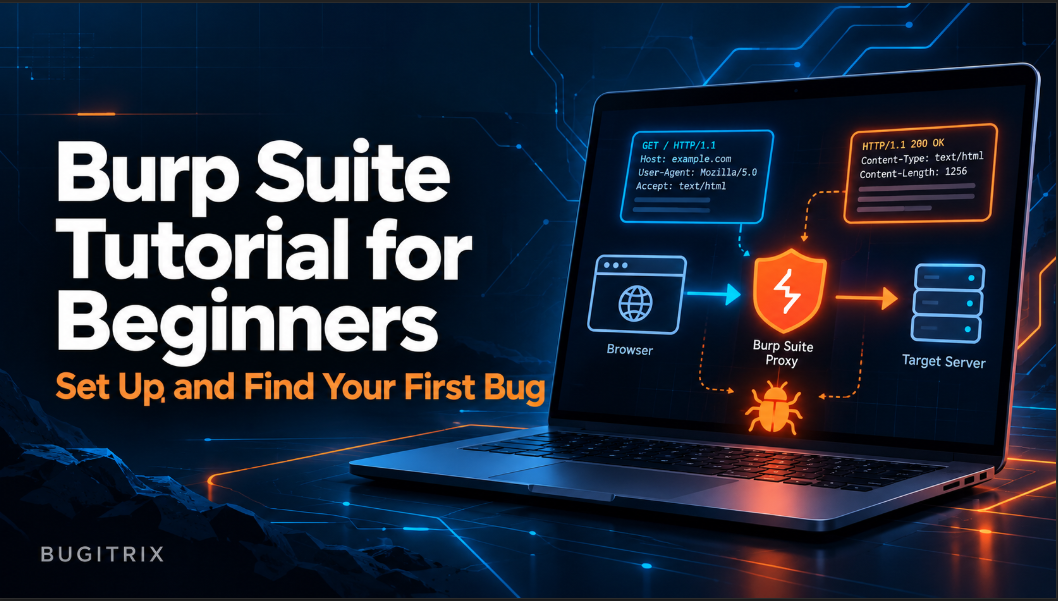
Burp Suite is a web security testing tool made by PortSwigger. It sits between your browser and a website as a proxy, letting you see, pause, edit, and replay every HTTP request. Beginners use the free Community Edition to learn how web apps work and to test for vulnerabilities in legal labs.
An HTTP request is the message your browser sends to a website ("show me this page", "log me in with these details"). The response is what the server sends back. Normally you never see these messages. Burp shows them to you, and that is why it is the standard first tool for web security learners.
Think of Burp as a window into a conversation you were always part of but could never hear. Once you can read that conversation, bugs like broken access control, weak input handling, and logic flaws become much easier to spot.
Burp Suite Community Edition vs Professional
You do not need to pay to learn. The free Burp Suite Community Edition from PortSwigger is enough for this entire tutorial.
| Feature | Community (free) | Professional (paid) |
|---|---|---|
| Proxy, HTTP history | Yes | Yes |
| Repeater | Yes | Yes |
| Decoder, Comparer | Yes | Yes |
| Intruder | Yes, but rate-limited | Yes, full speed |
| Automated vulnerability scanner | No | Yes |
| Saving projects | No (temporary projects only) | Yes |
Honest advice: stay on Community until you can find bugs manually. A scanner will not teach you why a bug exists, and hunters who rely on scanners alone tend to report the same duplicate findings as everyone else. Manual testing with Proxy and Repeater is the skill that matters.
Burp Suite Setup, Step by Step
The easiest Burp Suite setup uses Burp's built-in browser, so you can skip certificate and proxy configuration for now.
- Download and install. Get the Community Edition installer for your operating system from the PortSwigger link above. You need nothing else installed; Java is bundled.
- Start Burp. Choose "Temporary project", then "Use Burp defaults", then click Start Burp.
- Open the built-in browser. Go to the Proxy tab, then the Intercept sub-tab, and click Open browser. A Chromium window opens, already routed through Burp.
- Browse a lab site. In that browser, open a PortSwigger Web Security Academy lab (we use one below). Click around the site.
- Check HTTP history. Back in Burp, open Proxy → HTTP history. Every request your browser made now appears as a row. If you see rows, your setup works.
If you prefer using Firefox or Chrome instead of the built-in browser, set the browser's proxy to 127.0.0.1:8080 (Burp's default listener) and install Burp's CA certificate by visiting http://burpsuite while proxied. Beginners can ignore this until they have a reason to use their own browser.
Quick fix: if the browser loads pages but HTTP history stays empty, check that you are browsing inside Burp's built-in browser, not a normal browser window.
The Burp Tabs That Matter for Beginners
Burp shows many tabs. In your first month, you need only a handful.
| Tab | What it does | When you use it |
|---|---|---|
| Proxy | Captures and lets you pause browser traffic | Every session |
| HTTP history (inside Proxy) | Log of all requests and responses | Finding interesting requests |
| Repeater | Resend one request again and again with edits | Testing a single idea |
| Target → Scope | Defines which sites Burp should focus on | Keeping tests in-scope |
| Decoder | Converts Base64, URL encoding, and similar formats | Reading odd-looking values |
| Intruder | Automates many variations of a request | Later, once you know the basics |
Ignore Sequencer, Extensions, and the rest for now. Learning fewer tools well beats half-learning all of them.
How to Use Burp Suite: Your First Workflow
Here is a repeatable workflow you can apply to any lab or in-scope target. This is the core of how to use Burp Suite day to day.
Step 1: Set your scope first
Go to Target → Scope and add only the domain you are allowed to test. Then, in the Proxy settings, tell Burp to hide out-of-scope traffic from history. Scope discipline protects you legally and keeps your history readable.
Step 2: Browse like a normal user
Create an account, log in, update a profile, add something to a cart, and use every feature. Do not attack anything yet. You are building a map of the application's requests.
Step 3: Read HTTP history
Look for requests that carry identifiers (user IDs, order numbers, file names), parameters (data sent in the URL or body), or tokens (session cookies, API keys). These are the places bugs usually hide.
Step 4: Intercept when you need to
Switch Intercept is on to pause a request before it reaches the server. You can edit it, then click Forward to send it, or Drop to discard it. Turn interception off when you are just browsing, or every click will freeze the page.
Step 5: Send to Repeater and experiment
Right-click an interesting request in HTTP history and choose Send to Repeater. Change one thing at a time (an ID, a parameter value), click Send, and compare the response each time. Changing one thing at a time tells you exactly what caused a difference.
Want to go deeper on tooling? Bugitrix's step-by-step guide covering Burp Suite, DevTools, real-world case studies, and checkpoint quizzes walks through this workflow with full HTTP traffic examples.
Lab Exercise: Find Your First Bug Legally
Reading is not enough. This exercise uses a deliberately vulnerable lab built for learners, so you can test freely without breaking any law or rule.
Bug type: Insecure Direct Object Reference (IDOR), a form of broken access control. It happens when an application lets you reach another user's data just by changing an ID or file name in a request. The OWASP Top 10 lists broken access control as a leading web risk, which is why it is a smart first bug to learn.
Where to practise: Create a free account on the PortSwigger Web Security Academy and open the IDOR lab in the access control topic, "Insecure direct object references". PortSwigger also explains the theory on its IDOR page.
Steps:
- Launch the lab, then open it in Burp's built-in browser.
- Make sure interception is off, and set the lab domain in your scope.
- Use the site's live chat feature and send a message.
- Click the option to view or download the chat transcript.
- In Proxy → HTTP history, find the request that downloaded your transcript. Notice the file name contains a number.
- Right-click that request and choose Send to Repeater.
- Change the number in the file name to a different one and click Send.
- Read the response. If you can see a transcript that is not yours, the application is not checking whether you own that file. That is the bug.
- Use what you find in the transcript to complete the lab objective described on the lab page.
What you just learned: the server trusted a value the user controlled. This same idea (check who is asking, not just what they ask for) appears in real programs constantly, though real-world versions are usually harder to spot than a lab.
Be realistic: completing a lab is practice, not proof you will land a bounty next week. Real programs have more hunters, tighter scopes, and more duplicates. The lab builds the habit of reading requests and forming test ideas, and that habit is what carries over. If you want a day-by-day plan for moving from labs to your first valid report, Earn Your First Valid Bug in 30 Days is built for exactly that.
Legal and Ethical Rules Before You Test Anything
Burp Suite is powerful, and using it on a system without permission can be illegal. Follow these rules every time:
- Test only what you are authorised to test. That means your own lab, intentionally vulnerable practice sites, or a bug bounty program or vulnerability disclosure policy (VDP) where the target is listed in scope.
- Read the program's scope and rules first. Platforms like HackerOne publish program policies that state which assets are allowed and which testing methods are banned.
- Never touch real users' data. If you accidentally access someone else's information in a real program, stop, do not copy or share it, and report it immediately.
- No denial-of-service, no spamming, no social engineering unless a program explicitly permits it (most do not).
- Disclose responsibly. Report privately through the program's official channel and give the team time to fix the issue before discussing it publicly.
Common Mistakes Beginners Make
- Turning on Intercept and forgetting it. The browser freezes and you think Burp is broken. Toggle it off when not needed.
- Testing without defining scope. You may end up sending traffic to out-of-scope or third-party domains.
- Changing five things at once in Repeater. You will never know which change caused the result.
- Jumping straight to Intruder and scanners. Learn manual testing first; automation multiplies skill but cannot replace it.
- Ignoring normal responses. A 403 or an error message is information. Read it before moving on.
- Collecting tools instead of practising. Finish one lab fully before starting another course.
- Skipping notes. Without notes, you cannot write a clear report later.
Practice Platforms and Tools You'll Need
Tools (all free):
- Burp Suite Community Edition
- Browser DevTools (Network tab) for quick checks alongside Burp
- A simple notes app to record requests, parameters, and results
Legal practice platforms:
- PortSwigger Web Security Academy: free, structured labs with explanations, ideal for this tutorial
- Hacker101: free videos and capture-the-flag challenges from HackerOne
- OWASP Web Security Testing Guide: a reference for what to test and how to think about it
Realistic timeline: most beginners need two to four weeks of regular practice (an hour or so a day) to feel comfortable with Proxy, HTTP history, and Repeater. Getting a first valid bug on a real program takes longer and varies a lot from person to person.
Beginner Checklist and Report Template
Pre-test checklist
- I have confirmed the target is a lab or is listed in a program's scope
- I have read the program rules and banned test types
- The target domain is added to Burp's scope
- Interception is off while I explore
- I have used every main feature of the app as a normal user
- I have noted requests that contain IDs, tokens, or user-controlled values
- I change one value at a time in Repeater
- I save requests and responses as evidence
- I stop immediately if I see another person's real data
Simple bug report template
Title: short, specific (for example, "IDOR allows viewing other users' chat transcripts")
Summary: one or two sentences on what is wrong and why it matters
Steps to reproduce: numbered steps anyone can follow
Request and response: the original request, your modified request, and the key part of the response
Impact: what a real attacker could do, stated honestly without exaggeration
Suggested fix: one practical recommendation, such as checking ownership on the server side
Clear reports get triaged faster, and that habit matters as much as technical skill.
Frequently Asked Questions
Is Burp Suite free to use?
Burp Suite has a free Community Edition that includes the Proxy, HTTP history, Repeater, Decoder, and a rate-limited Intruder. The paid Professional edition adds an automated scanner and project saving. Beginners can learn nearly everything they need for manual web testing on the free version.
Can you find bugs with Burp Suite Community Edition?
Yes. Bugs are found by understanding requests and testing ideas, not by a paid scanner. Community Edition gives you the Proxy and Repeater, which are the tools used for manual testing. Many valid reports come from careful manual work with these two tools alone.
How long does it take to learn Burp Suite?
Most beginners get comfortable with the Proxy, HTTP history, and Repeater in about two to four weeks of regular practice. Becoming confident enough to test real programs takes longer and depends on how much web fundamentals you already know. Steady daily practice beats long, irregular sessions.
Do I need to know coding to use Burp Suite?
You do not need to be a programmer, but you should understand basic HTTP, cookies, and how web forms work. Some HTML and JavaScript knowledge helps you read pages and responses. You can learn these alongside Burp, starting with PortSwigger's free academy.
How do I practise Burp Suite legally?
Use intentionally vulnerable labs such as the PortSwigger Web Security Academy, or test only targets listed in scope on a bug bounty program or VDP. Never test a website without written permission or a published scope. Practising on your own local setup is also safe and legal.
Conclusion
Burp Suite looks intimidating for about a week and then becomes the most useful tool in your kit. To recap: set up the built-in browser, define your scope, browse like a user, read HTTP history, and experiment one change at a time in Repeater. Practise on legal labs until the workflow feels natural, and keep every test inside authorised scope.
Your next step is simple: open the PortSwigger IDOR lab today, follow the exercise above, and write your own short report using the template. Then repeat with a different lab tomorrow.
Where to go next
a) Get the right book for this topic
Learn Burp Suite, DevTools, vulnerability mechanics, and real-world case studies in Bugitrix's step-by-step practical guide. New to bug bounty? Start with Earn Your First Valid Bug in 30 Days.
b) Get guidance from a mentor
Stuck or unsure what to practise next? Apply for 1:1 bug bounty mentorship and get detailed training on modern websites.
c) Build your personal brand
Turn your learning into career momentum with LinkedIn and resume optimization.
Explore more beginner-friendly guides at Bugitrix.
Questions? Email us at info@bugitrix.com